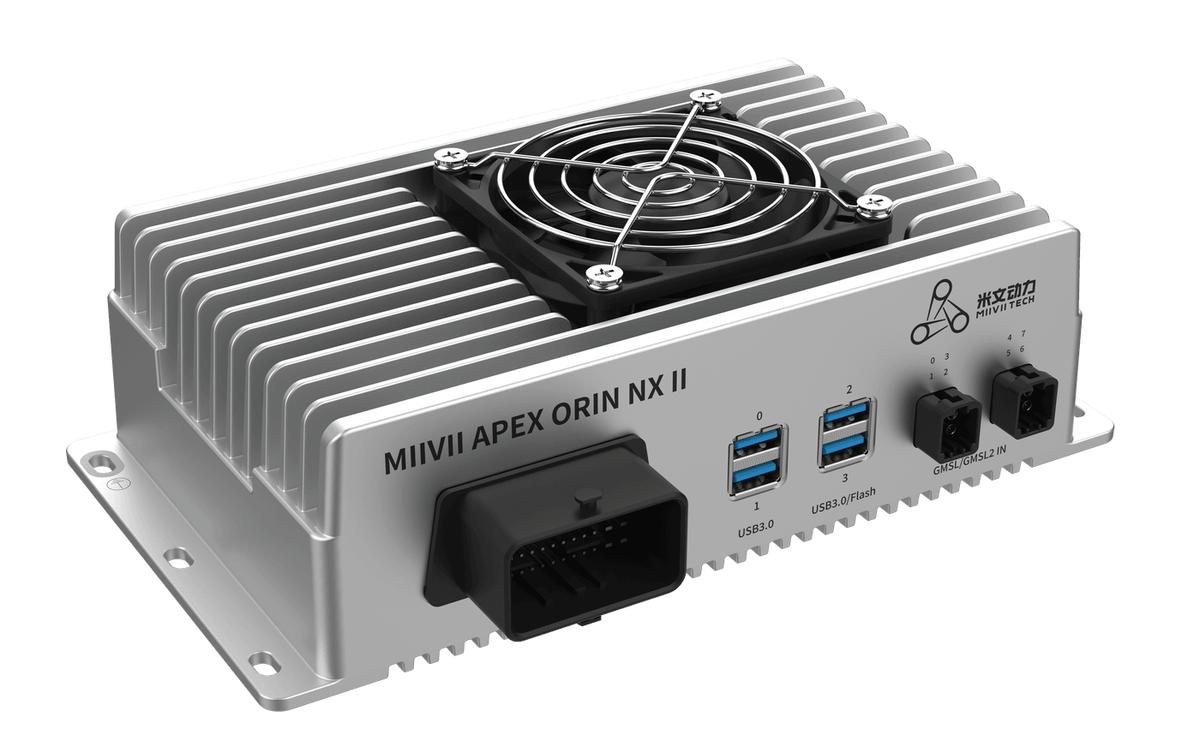
APEX ORIN NX II EEPROM Usage#
Functions#
EEPROM is a memory chip used to store MIIVII product information.
Typical uses include:
1 Writing device information 1 Reading device information
APEX ORIN NX EEPROM Test Method:
APEX ORIN NX EEPROM Programming Method
EEPROM Programming I2C Bus Numbers by Product
Product |
MIIVII EEPROM Bus Number |
Module EEPROM Bus Number |
|---|---|---|
AD10 |
||
APEX ORIN NX |
|
|
APEX DUAL ORIN |
Present only on the primary device, on I2C bus i2c-8 at address 0x50 |
Primary and secondary devices both have EEPROM on I2C bus i2c-0 at address 0x50 |
EEPROM Test Instructions
The following EEPROM information must be tested:
|
|
|
|
|
|
|
|
|
|
|
|
|
|
|
|
|
|
|
|
|
|
|
|
|
|
|
|
|
|
|
|
|
|
|
|
|
|
|
|
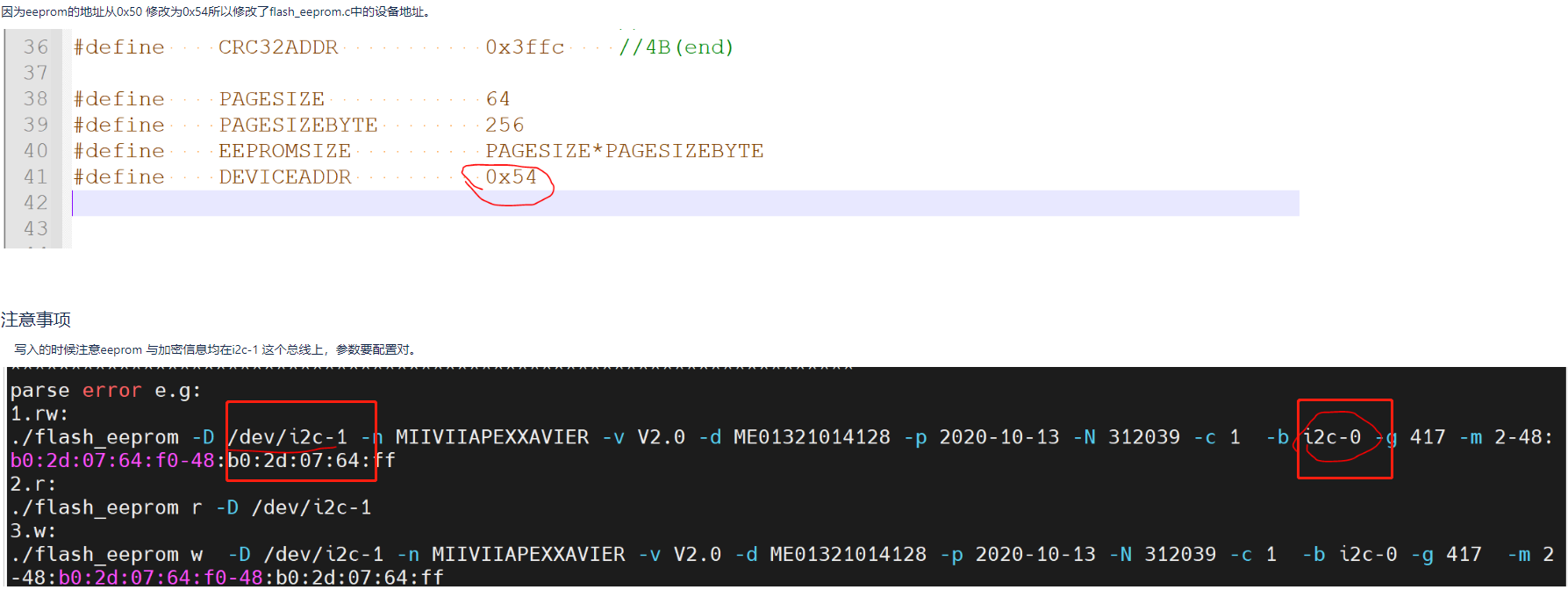
Test method: run the flash_eeprom script (see attachment)
flash_eeprom provides methods to write/read the product information listed in Section 1.
Detailed procedure:
Attachments#
Note: always use sudo when running the commands.
EEPROM Programming Script — May 9 Update
After programming the EEPROM, restart the device and run the following script to check the test results.
For BRD601 / THOR
BRD601: I2C bus 9
You can also find the I2C bus in dmesg:
As shown below

Troubleshooting#
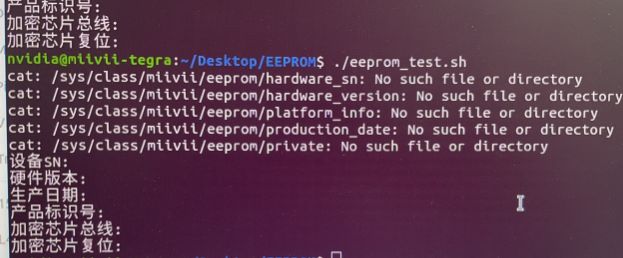
Problems generally have one of two causes: the EEPROM has not been programmed, or the driver is missing.
To distinguish an unprogrammed EEPROM from a missing driver:
Run: sudo dmesg | grep miivii-eeprom
(1) The following output indicates that the EEPROM has not been programmed:

(2) If there is no output, the driver is missing.
Programming the EEPROM with the Production Test Tool:
Confirm the production test tool for the product with Yanxun.
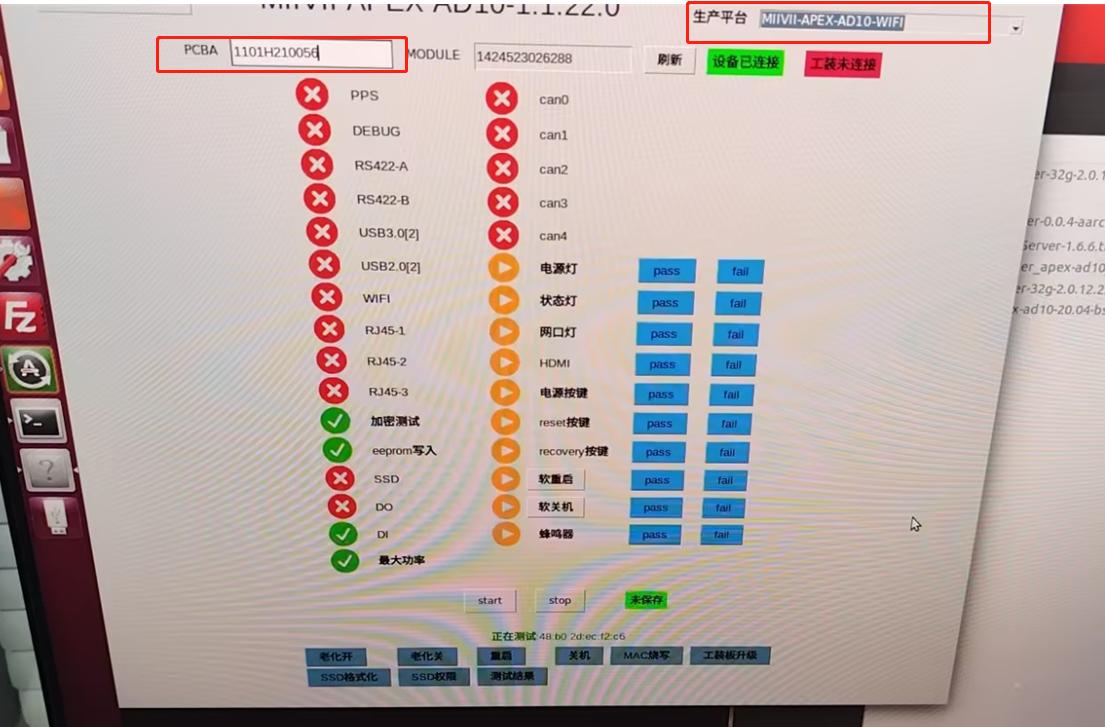
Using the AD10 test tool as an example, click the MIIVII configuration entry and configure the Ethernet IP address of the device under test. Save the configuration and restart the test tool. After the tool shows that the device connection is established, enter the motherboard serial number in the PCBA field to prepare for programming.

In the production platform selector at the upper right, select the Product + WiFi option. Click start below to begin testing. A check mark in the EEPROM programming row indicates that programming is complete. Restart the device under test.