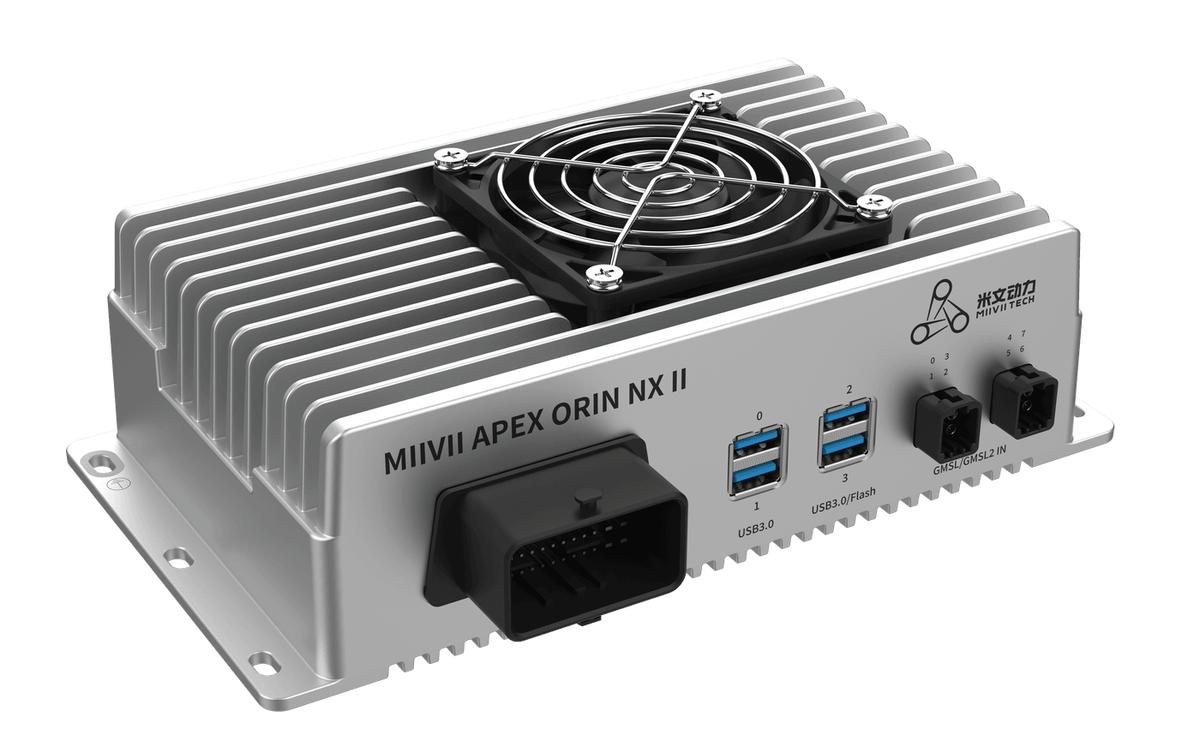
APEX ORIN NX II GPIO Digital Output#
Hardware Connection#
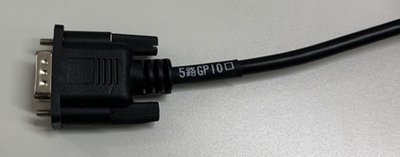
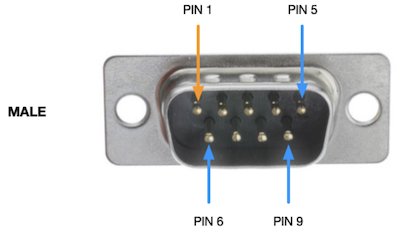
Interface Pin Definition#
Connector |
DB9 Pin Number |
Description |
Utility Channel Index |
|---|---|---|---|
DI_0 |
1 |
GPIO IN |
0 |
DI_1 |
2 |
GPIO IN |
1 |
DO_0 |
3 |
GPIO OUT |
0 |
DO_1 |
4 |
GPIO OUT |
1 |
GND |
6-9 |
Ground |
Connector |
DB9 Pin Number |
Description |
Utility Channel Index |
|---|---|---|---|
DI_2 |
1 |
GPIO IN |
2 |
DI_3 |
2 |
GPIO IN |
3 |
DO_2 |
3 |
GPIO OUT |
2 |
DO_3 |
4 |
GPIO OUT |
3 |
GND |
6-9 |
Ground |
Use this channel index with the DI or DO utility shown below.
DO Hardware Specifications#
The rated DO operating range is 0–24 V. The permitted reference-voltage range (Vref) is 0–36 V. The permitted reference-voltage range is distinct from the product’s rated operating range.
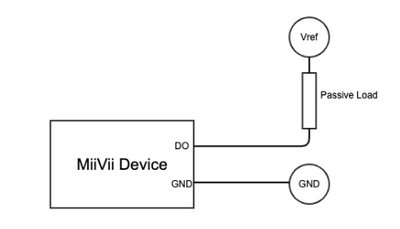
Hardware Specifications |
|
|---|---|
Vref |
0~36V |
Nominal Load Current |
100 mA |
DO Usage#
GPIO usage examples are shown below
sudo /opt/miivii/features/gpio/bin/miivii_set_do_level <DO number> <level: 0/1> <duration(seconds) of level>

# <DO number>: DO index; 0 represents DO0, 1 represents DO1, and so on.
# <level: 0/1>: required logic level; 0 for low, 1 for high.
# <duration(seconds) of level>: duration in seconds. DO remains at <level: 0/1> during this period, then returns to its previous state.
# Note: GPIO SYSFS was marked obsolete starting with Linux kernel 4.8, and is no longer supported starting with Jetpack 6.0. GPIO operations using libgpiod are recommended. Operation without a hold duration is therefore not supported.

# Example: set DO0 high for 20 seconds.
#sudo /opt/miivii/features/gpio/bin/miivii_set_do_level 0 1 20
Compile the Sample Code
cp -r /opt/miivii/features ~/
cd ~/features/gpio
sudo make;
GPIO Troubleshooting#
1. Permissions and Pin Ownership#
Symptom |
Possible Cause |
Solution |
|---|---|---|
Running the message |
GPIO is already in use by another driver or process |
1. Check what is using the pin: 2. Terminate the process using the pin: 3. Force release: |
Accessing |
The user is not in the |
1. Add the user to the group: 2. Change file permissions: |
2. Abnormal Logic Levels#
Symptom |
Possible Cause |
Solution |
|---|---|---|
Unstable Output Level |
1. Power supply interference or poor grounding 2. A PCB signal trace crosses a split plane, causing an impedance discontinuity<br>3. Load current exceeds the limit |
1. Add decoupling capacitors for filtering 2. Check PCB routing and avoid signal traces crossing split power planes 3. Use an external MOSFET to drive high-current loads |
Incorrect Input Value |
1. Pull-up or pull-down resistors are not configured 2. External voltage is outside the allowable range |
1. Configure a pull-up in software: 2. Add a 4.7kΩ pull-up resistor or use a level shifter |
System Hangs When Reading the Level in Output Mode |
1. Incorrect access to the input data register (IDR) 2. A short circuit in the external circuit |
1. Read the state from the output data register instead 2. Add a 100Ω series current-limiting resistor to prevent overcurrent |
3. Interrupt and Event Detection Issues#
Symptom |
Possible Cause |
Solution |
|---|---|---|
Interrupt Does Not Respond(edge triggering fails) |
1. Incorrect interrupt type configuration 2. ISR blocks for too long |
1. Confirm the trigger edge: 2. Optimize the ISR: use |
False Event Detection(for example, a high-level event is triggered unexpectedly) |
1. Signal noise 2. Poor solder joint or contact at the pin |
1. Add software debouncing: in 2. Use shielded cable to reduce interference or add an RC filter |
4. Function Configuration Conflicts#
Symptom |
Possible Cause |
Solution |
|---|---|---|
GPIO Direction Setting Does Not Take Effect(cannot switch between input and output) |
1. Pin multiplexing conflict, such as a pin assigned to I2C 2. Driver is not loaded |
1. Check the device tree: confirm that 2. Load the driver: |
Switching the Same Pin between Output and Input Fails |
1. Mode switching timing conflict 2. Interrupt preemption causes inconsistent state |
1. Perform the operation with interrupts disabled: 2. Cache the state in a global variable to avoid frequent switching |