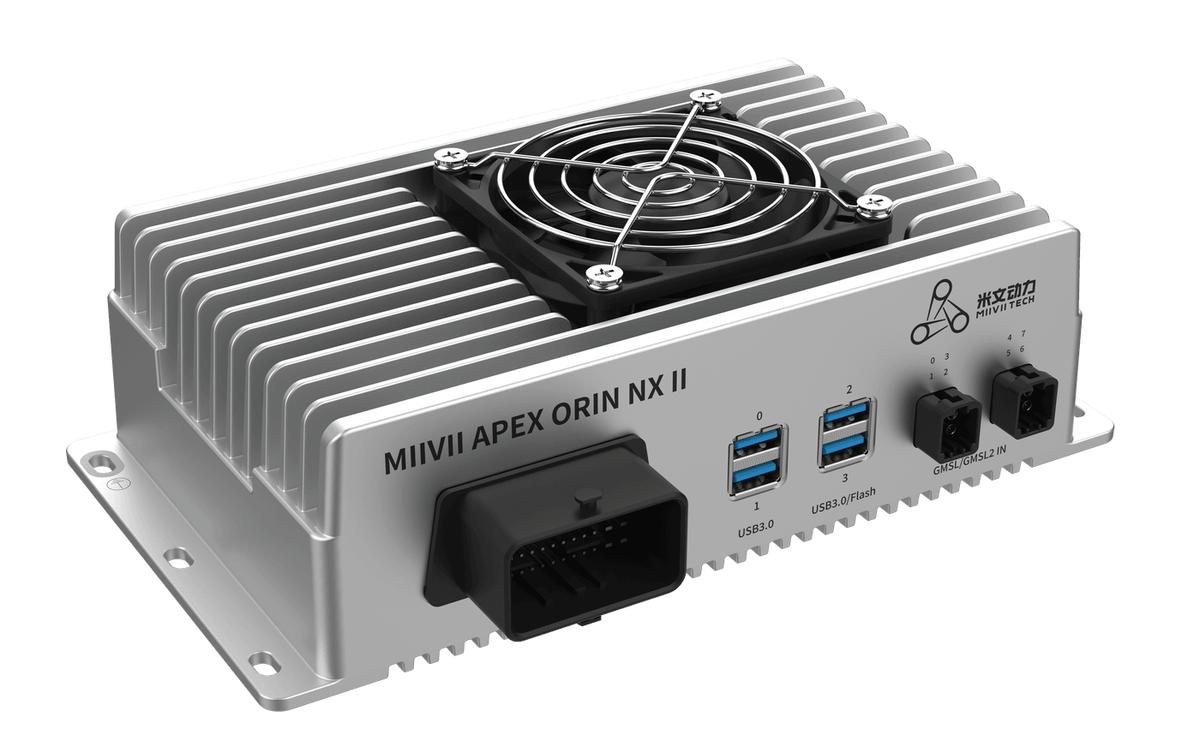
APEX ORIN NX II Debug Log Collection#
Execution Methods#
Product Function |
Command Argument |
Online Log Collection |
Offline Method |
Notes |
|---|---|---|---|---|
can |
curl -sSL https://doc.miivii.com/scripts/run_miivii_diagnostic.sh | bash -s can |
cat run_miivii_diagnostic.sh | bash -s can |
||
ethernet |
curl -sSL https://doc.miivii.com/scripts/run_miivii_diagnostic.sh | bash -s ethernet |
cat run_miivii_diagnostic.sh | bash -s ethernet |
||
ssd |
curl -sSL https://doc.miivii.com/scripts/run_miivii_diagnostic.sh | bash -s ssd |
cat run_miivii_diagnostic.sh | bash -s ssd |
||
usb |
curl -sSL https://doc.miivii.com/scripts/run_miivii_diagnostic.sh | bash -s usb |
cat run_miivii_diagnostic.sh | bash -s usb |
||
rs232 |
curl -sSL https://doc.miivii.com/scripts/run_miivii_diagnostic.sh | bash -s rs232 |
cat run_miivii_diagnostic.sh | bash -s rs232 |
||
rs485-rs422 |
curl -sSL https://doc.miivii.com/scripts/run_miivii_diagnostic.sh | bash -s rs485-rs422 |
cat run_miivii_diagnostic.sh | bash -s rs485-rs422 |
||
gmsl |
curl -sSL https://doc.miivii.com/scripts/run_miivii_diagnostic.sh | sudo bash -s gmsl |
cat run_miivii_diagnostic.sh | bash -s gmsl |
Run as root or use sudo. |
|
4g |
curl -sSL https://doc.miivii.com/scripts/run_miivii_diagnostic.sh | bash -s 4g |
cat run_miivii_diagnostic.sh | bash -s 4g |
||
5g |
curl -sSL https://doc.miivii.com/scripts/run_miivii_diagnostic.sh | bash -s 5g |
cat run_miivii_diagnostic.sh | bash -s 5g |
||
wifi |
curl -sSL https://doc.miivii.com/scripts/run_miivii_diagnostic.sh | bash -s wifi |
cat run_miivii_diagnostic.sh | bash -s wifi |
||
gps-timing |
curl -sSL https://doc.miivii.com/scripts/run_miivii_diagnostic.sh | bash -s gps-timing |
cat run_miivii_diagnostic.sh | bash -s gps-timing |
||
hdmi |
curl -sSL https://doc.miivii.com/scripts/run_miivii_diagnostic.sh | bash -s hdmi |
cat run_miivii_diagnostic.sh | bash -s hdmi |
||
fan |
curl -sSL https://doc.miivii.com/scripts/run_miivii_diagnostic.sh | bash -s fan |
cat run_miivii_diagnostic.sh | bash -s fan |
||
system |
curl -sSL https://doc.miivii.com/scripts/run_miivii_diagnostic.sh | sudo bash -s system |
cat run_miivii_diagnostic.sh | bash -s system |
Run as root or use sudo. |
|
flash |
curl -sSL https://doc.miivii.com/scripts/run_miivii_diagnostic.sh | bash -s flash <bootpath> <imgpath> |
cat run_miivii_diagnostic.sh | bash -s flash <bootpath> <imgpath> |
Run this command on the host PC. bootpath: bootloader directory imgpath: image directory |
Generated Log File:
Location: the current directory in which the curl command is run
Filename:
_ .log For example: Log file saved to: /home/nvidia/gmsl_camera_diagnostics_20241023_153353.log
Offline Mode#
1 Download the latest offline archive from: https://doc.miivii.com/scripts/miivii_diagnostic_offline-latest.tar.xz 1 Provide the archive to the customer, then copy it to the target device or the device experiencing the issue.
1 Run the corresponding debug command.
Example commands:
# Copy the offline archive to the target device or the device experiencing the issue
scp miivii_diagnostic_offline-latest.tar.xz nvidia@xxx.xxx.xxx.xxx:/tmp/

## Run on the target device or the device experiencing the issue
# Extract the archive
cd /tmp/
tar xvf miivii_diagnostic_offline-latest.tar.xz

# x.x.x is the version number; adjust this to the actual extraction directory
cd scripts-vx.x.x/

# Run the debug command
cat run_miivii_diagnostic.sh | bash -s ethernet
Example Log Contents#
Command executed

Command output

Notifications
Command executed:
sudo systemctl status NetworkManager.service
#The following example output illustrates successful debug log collection
 NetworkManager.service - Network Manager
     Loaded: loaded (/lib/systemd/system/NetworkManager.service; enabled; vendor preset: enabled)
     Active: active (running) since Fri 2024-10-11 14:10:01 CST; 1h 4min ago
       Docs: man:NetworkManager(8)
   Main PID: 675 (NetworkManager)
      Tasks: 3 (limit: 8481)
     Memory: 12.5M
     CGroup: /system.slice/NetworkManager.service
             └─675 /usr/sbin/NetworkManager --no-daemon
Log File Location:
