BRD602 ORIN PTP Usage#
Explanation#
The Precision Time Protocol (PTP) is a protocol used to synchronize clocks across a computer network. On a local area network, clock accuracy at the nanosecond level can be achieved.
Preparatory work#
Preparation work - Hardware connection#
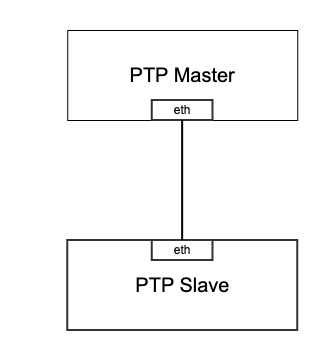
Prepare two devices: Device A and Device B. Device A is the master device, and Device B is the slave device. Set static IPs for the network interfaces of the two devices, connect them directly with a network cable, and ensure they can ping each other. If a switch or router is used in the network link, the switch or router must also support the PTP protocol.
Preparatory work - software environment#
sudo git clone -b v4.1 git://git.code.sf.net/p/linuxptp/code linuxptp
cd linuxptp
sudo make
sudo make install
Master-slave device configuration#
Configuration process
The master starts the ptp4l service → The master synchronizes its time to the network card clock → The slave synchronizes the master’s time to the network card clock → The slave synchronizes the network card clock to the system clock
Open a terminal and execute the following commands:
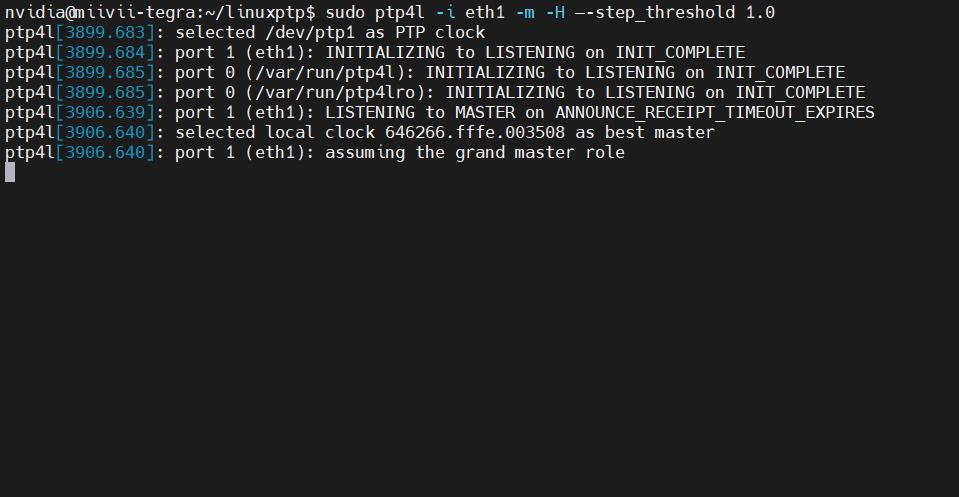
sudo ptp4l -i eth1 -m -H --step_threshold 1.0
This command is used to start the ptp4l service. At this time, the information printed on the terminal of the master device should be as shown in the figure below:
Open another terminal and execute the following commands:
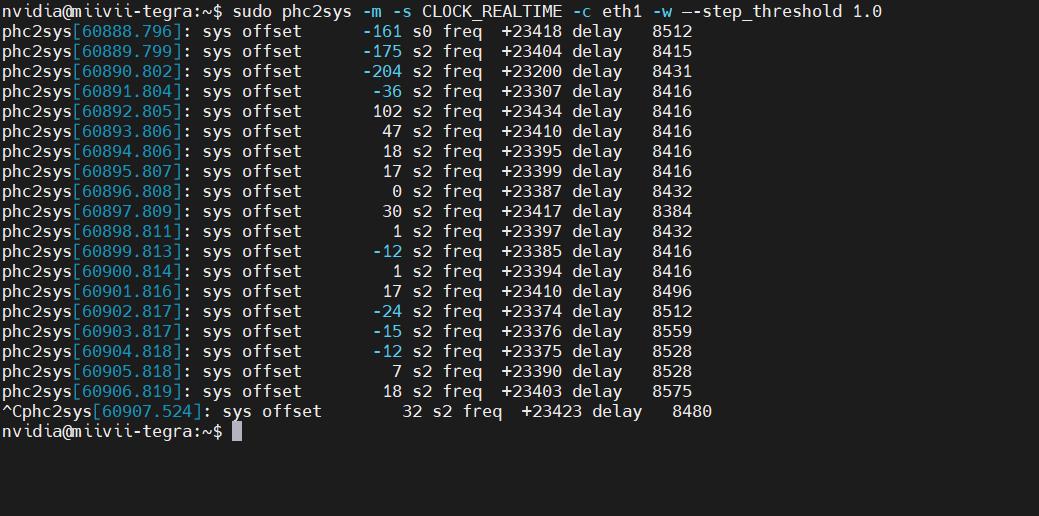
sudo phc2sys -m -s CLOCK_REALTIME -c eth1 -w --step_threshold 1.0
This command is used to synchronize the system clock of the master device to the network card hardware clock. At this time, the information printed by this terminal should be as shown in the figure below:
Open the terminal of the device and execute the following commands:
sudo ptp4l -i eth1 -m -H -s --step_threshold 1.0
This command is used to synchronize the master clock to the slave clock. At this time, the information printed by the terminal should be as shown in the figure below:
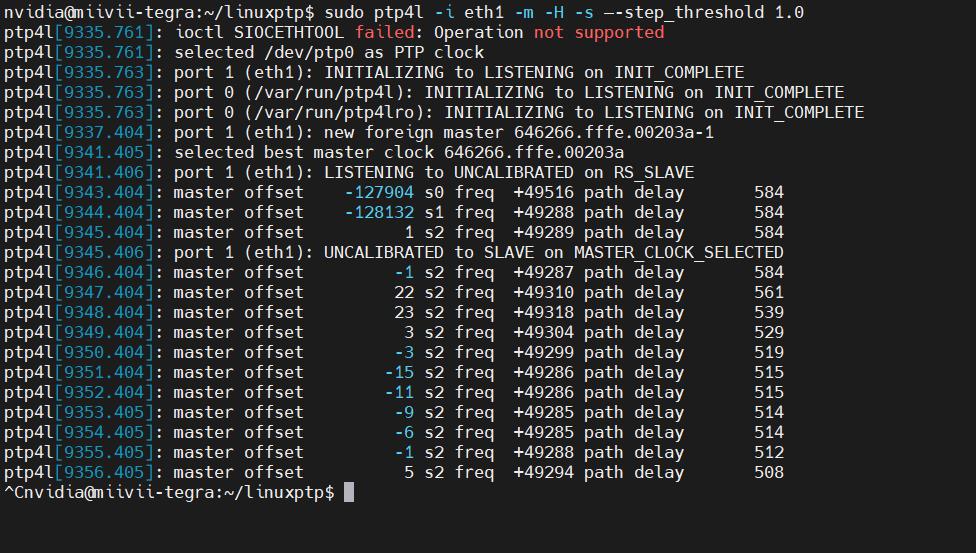
Among them, the master offset is the time offset between the master and slave devices, with the unit of ns.
Open another terminal and execute the following commands:
sudo phc2sys -m -s eth1 -w --step_threshold 1.0
This command is used to synchronize the network card clock of the slave device to the system clock. At this time, the information printed on this terminal should be as shown in the figure below:
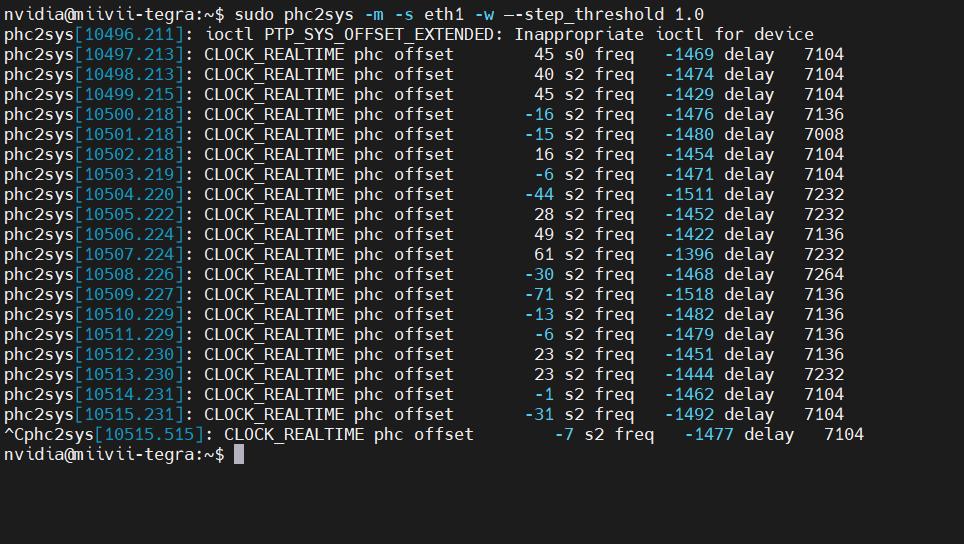
Among them, the phc offset is the time offset of the network card clock and system clock of the slave device.
Function verification#
Test process
Confirm master time → Confirm slave time → Modify master time → Confirm that the slave time is synchronized
View the system time of the master device:
sudo timedatectl
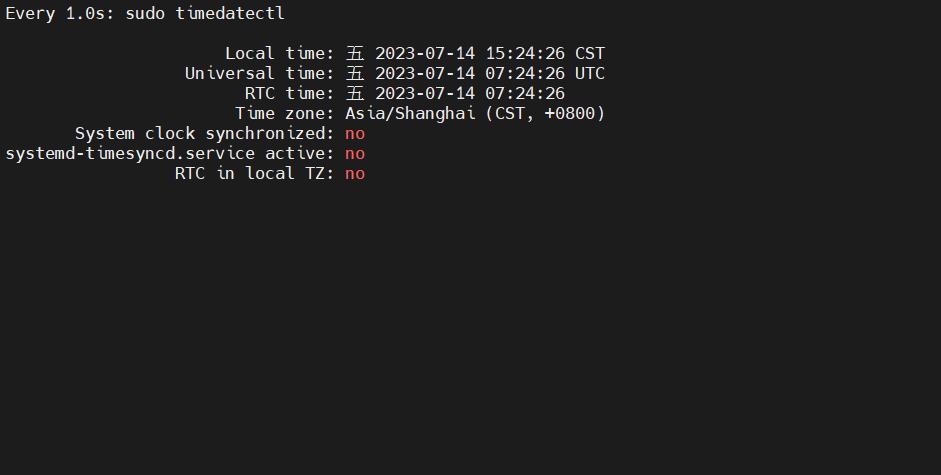
View the system time of the slave device:
sudo timedatectl
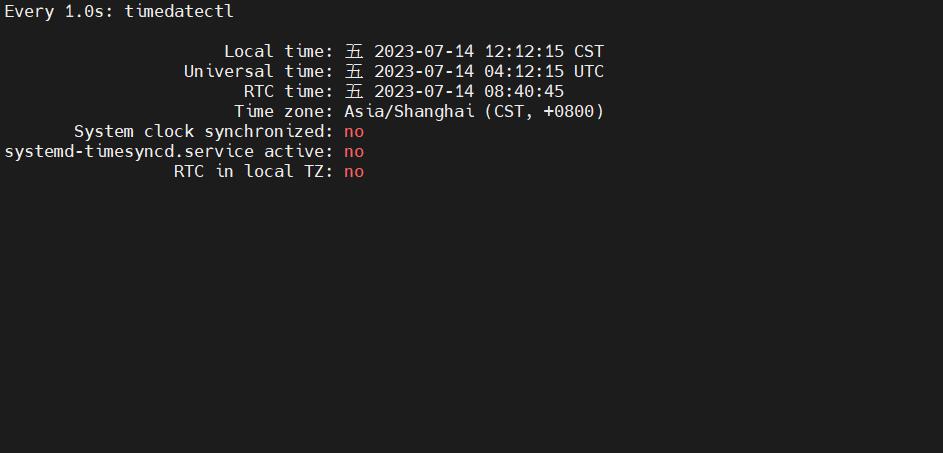
Change the system time of the master device
sudo date -s 12:12:12
At this point, you can see that the time of the matser system has been changed, as shown in the figure below:
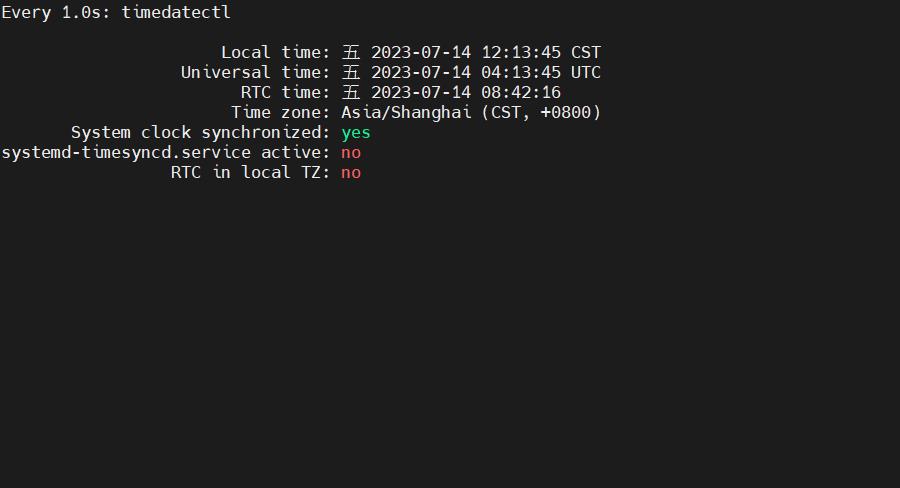
At the same time, observe the system time on the slave device. Wait for about 30 seconds, and you can see that the time has been adjusted to the master’s system time at this moment.
sudo timedatectl
Observing the system time on the slave device, it can be seen that the time has been adjusted to the system time of the master, as shown in the following figure:
Performance verification#
Open the terminal on the slave device and execute the following commands:
sudo ptp4l -i eth1 -m -H -s --step_threshold 1.0
This command is used to synchronize the master clock to the slave clock. At this time, the information printed by the terminal should be as shown in the figure below:
Among them, the master offset is the time offset between the master and slave devices, with the unit being ns.
Remarks#
Check whether the device supports hardware PTP#
sudo ethtool -T ethX
Just change ethX to the corresponding network card, and the following content will be displayed (take eth1 as an example):
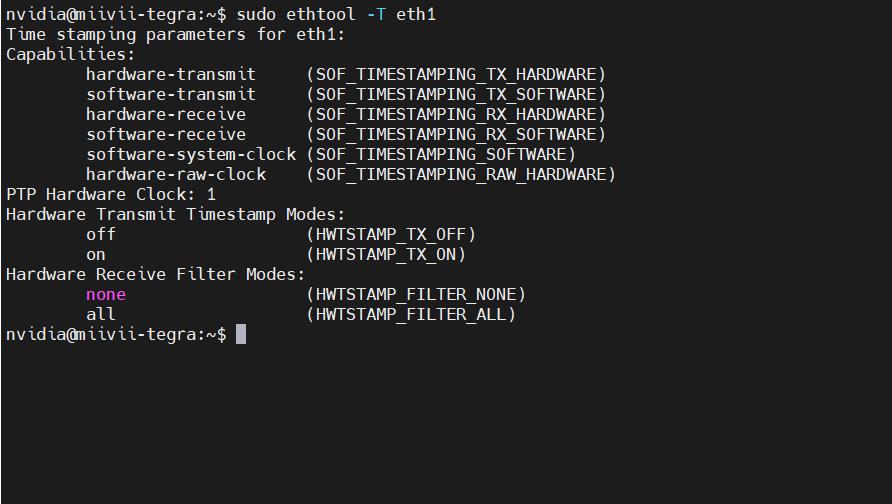
If the following parameters are included, it means the device supports the hardware PTP function: SOF_TIMESTAMPING_SOFTWARE
SOF_TIMESTAMPING_TX_SOFTWARE
SOF_TIMESTAMPING_RX_SOFTWARE
SOF_TIMESTAMPING_RAW_HARDWARE
SOF_TIMESTAMPING_TX_HARDWARE
SOF_TIMESTAMPING_RX_HARDWARE
If only the following parameters are included, it means the device does not support the hardware PTP function.
SOF_TIMESTAMPING_SOFTWARE
SOF_TIMESTAMPING_TX_SOFTWARE
SOF_TIMESTAMPING_RX_SOFTWARE
PTP problem troubleshooting#
Phenomenon: When using ptpd on the Miwen device for PTP time synchronization with an external device, it is found that the time synchronization fails.#
Check item 1: Check hardware connections#
Step 1: Check if the network cable is working properly#
Plug the network cable into another PTP time synchronization device that can act as a master.
If other peripherals can be connected and successfully receive time synchronization, it indicates that the network cable and the time-synchronized device are normal. Proceed with “Troubleshooting Item 2: Check if the device network is normal”.
If other peripherals cannot be connected and time synchronization fails, it is recommended to replace the network cable and check whether the peripheral being time-synchronized is functioning properly.
Step 2: Check if the switch supports PTP#
If there is a switch in the network, it is necessary to clarify whether the switch supports PTP by checking the instruction manual, consulting the manufacturer, and other methods.
If the switch supports PTP, execute “Check Item 2: Check if the device network is normal”.
If the switch does not support PTP, it is recommended to replace the switch or directly remove the switch and try again.
Check item 2: Check if the device network is normal#
Step 1: Check if the communication between the Miwen device and the peripheral network is normal.#
Check whether the Miwen device and the peripheral are on the same network segment.
Use the ping command to check if the Miwen device and the peripheral can communicate with each other.
If they cannot ping each other, you need to modify the IP to ensure that they can ping each other.
If they can ping each other, execute “Check Item 3: Check the status of the system time synchronization service”.
Step 2: Check if there is a multicast blocking configuration in the network#
Ensure that the network environment allows multicast messages to propagate, which is necessary for the proper functioning of PTP. Some network configurations may block multicast traffic.
Check item 3: Check the status of the system time synchronization service#
Step 1: Check whether the ptp4l service is correctly installed in the system#
Check if the ptp4l service from the linuxptp package has been installed and started.Use the following command to check the service status:sudo systemctl status ptp4l.service
If this service is not available, you need to manually install ptp4l (sudo apt-get install linuxptp), run it (sudo ptp4l -i <interface_name> -m), and then perform the verification.
If the service exists and starts normally, execute “Check item 4: Check if there are any abnormalities in the log file.”
Check item 4: Check if there are any abnormalities in the log file#
Step 1: Export the logs of the ptp4l service#
It is usually located at /var/log/syslog and can be obtained via journalctl -u ptp4l.service. Upload it to the fault work order and submit it to Miwen technical support.