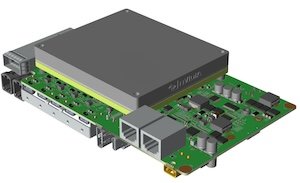
BRD601 THOR Power On#

Before the startup, the following items should be confirmed.
Confirm that the input power supply is DC 9 - 36V.
Use connection method 1 or connection method 2 to connect the power supply.
After checking that all connections are normal, power on the device.
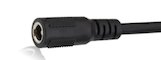
Connection method 1: Use the power adapter and power transfer cable provided by Miwen to connect to the DC power interface.
Physical diagram of the power transfer cable
Connection method 2: Make a power supply with an XT30 male connector and directly connect it to the XT30 interface of the device.
Wiring sequence of the XT30 power interface of the device
#

Pin definition#
No |
Pin |
Description |
|---|---|---|
1 |
+ |
Positive of DC power supply |
2 |
- |
Negative of DC power supply |
Hardware specifications#
Input |
Specification |
|---|---|
DC |
9~36V |
Log In#
MiiVii device use Ubuntu. The default username is: nvidia, password is: nvidia
Shutdown#
Command line#
sudo poweroff
Reboot#
Command line#
sudo reboot
Suspend#
Command line#
sudo pm-suspend
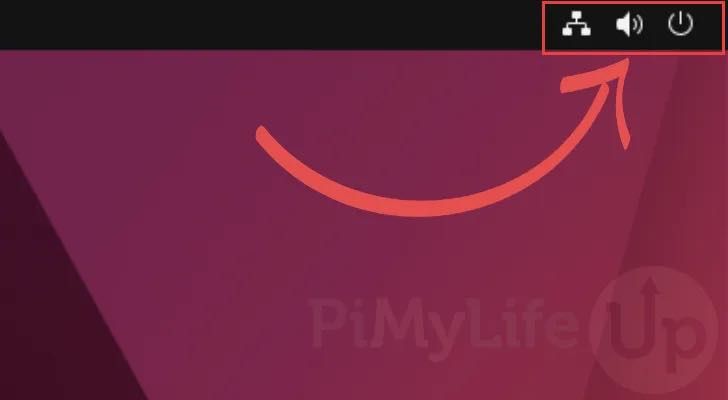
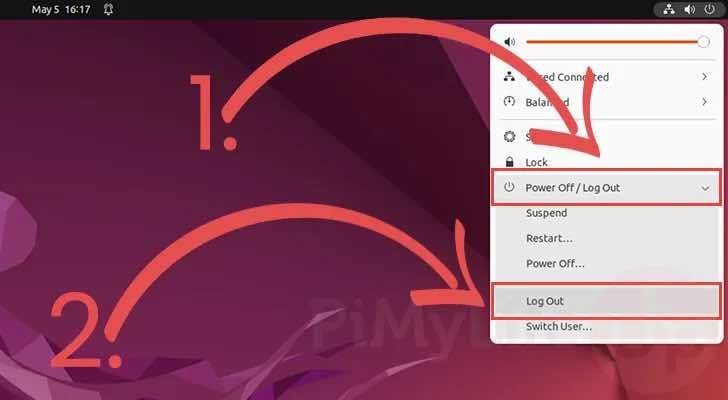
Log Out#
GUI#
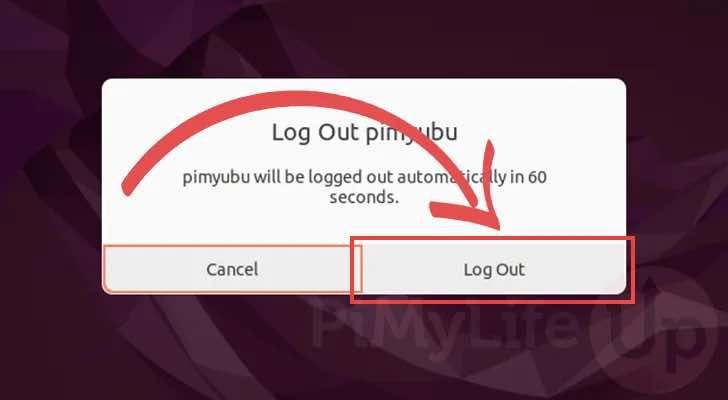
Commandl ine#
logout
Troubleshooting of startup issues#
Phenomenon: The device cannot enter the system after being powered on.#
Check item 1: Check hardware connections#
Step 1: Confirm that the power adapter used meets the power supply requirements of the device#
Taking AD10 as an example, the power supply range is 9-36V, and it can start normally only if the power is at least 35W (no-load). For reference, please refer to the specification sheet:https://doc.miivii.com/Apex-AD10-User-Manual-CH/wiki/Apex-AD10-%E4%BA%A7%E5%93%81%E8%A7%84%E6%A0%BC%E4%B9%A6.html。
Other devices can directly refer to the product specification.
If it is confirmed that the adapter meets the requirements, proceed to “Step 2”.
If the adapter does not meet the requirements, it is necessary to replace it with an adapter that meets the power supply requirements.
Step 2: Cross-verify the adapter status#
Use the power adapter from “Step 1” to connect other devices that can normally power on and enter the system.
If other devices also fail to power on and enter the system normally, it indicates an “adapter failure”, and it is recommended to replace the adapter.
If other devices can power on and enter the system normally, it is necessary to perform “Troubleshooting Item 2: Observe the startup log”.
Check item 2: Observe the startup log#
Step 1: Connect to the serial port for debugging#
Operation method:https://doc.miivii.com/Apex-AD10-User-Manual-CH/wiki/Apex-AD10-DEBUG-UART.html。
If there is no output at all, it may be a hardware issue.
If there is partial startup log but it gets stuck, record the specific error information and send the log to Miwen Technical Support.
If you have the conditions to reflash the image, it is recommended to reflash the image to check if it is caused by the software system environment.
Operation method:https://doc.miivii.com/Apex-AD10-User-Manual-CH/wiki/Apex-AD10-%E5%9B%BA%E4%BB%B6%E7%83%A7%E5%86%99.html。
If you can log in, use df -h to check the hard disk usage, clear redundant files to reduce system usage, then restart and try again.