Jetpack 7.0 Install ROS2 Jazzy#
Install ROS2 Jazzy#
Set locale#
locale  # check for UTF-8

sudo apt update && sudo apt install locales
sudo locale-gen en_US en_US.UTF-8
sudo update-locale LC_ALL=en_US.UTF-8 LANG=en_US.UTF-8
export LANG=en_US.UTF-8

locale  # verify settings
Install dependencies#
sudo apt update && sudo apt install gnupg wget
sudo apt install software-properties-common
sudo add-apt-repository universe
Set up the APT source#
sudo apt update && sudo apt install curl -y

sudo curl -sSL https://raw.githubusercontent.com/ros/rosdistro/master/ros.key -o /usr/share/keyrings/ros-archive-keyring.gpg

echo "deb [arch=$(dpkg --print-architecture) signed-by=/usr/share/keyrings/ros-archive-keyring.gpg] http://packages.ros.org/ros2/ubuntu $(. /etc/os-release && echo $UBUNTU_CODENAME) main" | sudo tee /etc/apt/sources.list.d/ros2.list > /dev/null
Install ROS2 packages#
sudo apt update
sudo apt upgrade
sudo apt install ros-jazzy-desktop
Verify whether ROS2 is installed successfully#
source /opt/ros/jazzy/setup.bash
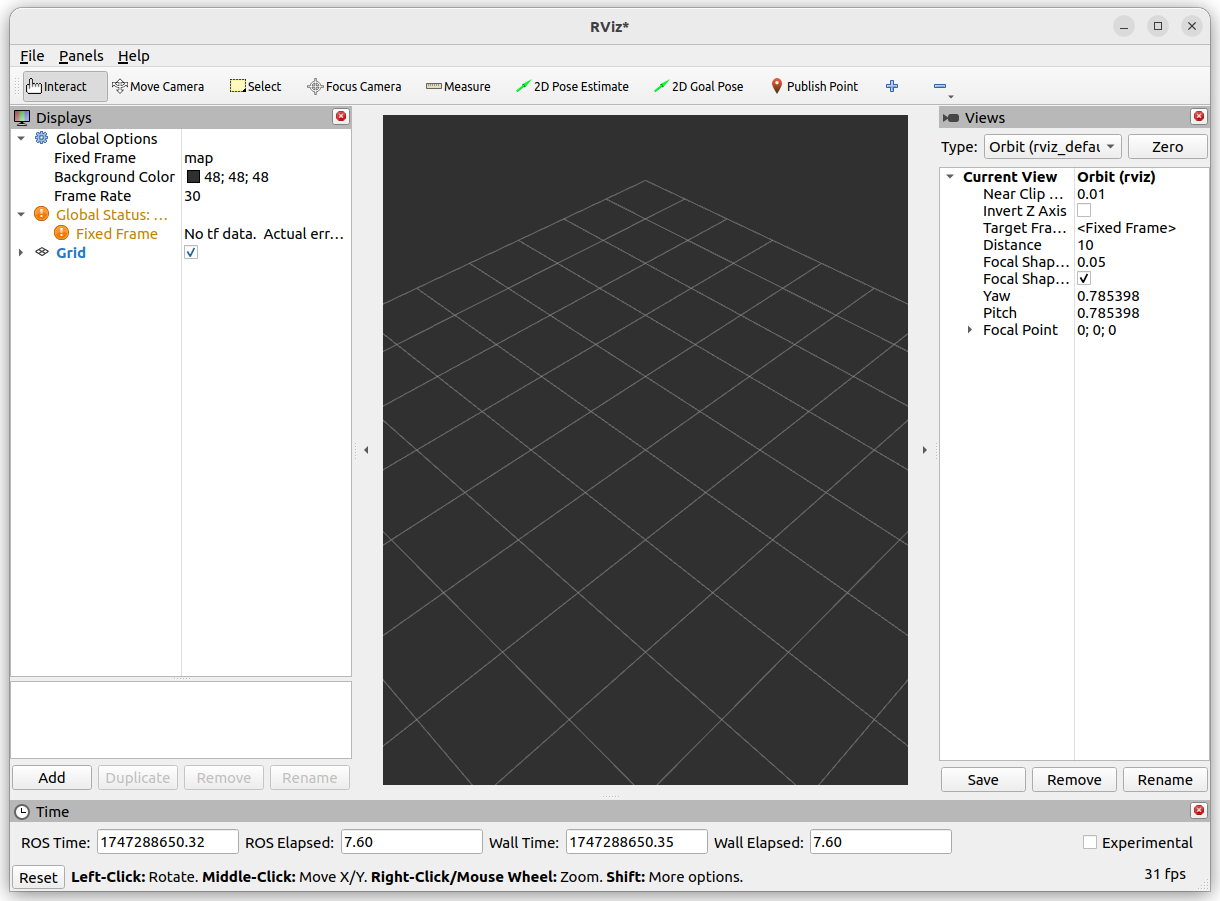
ros2 run rviz2 rviz2
When you enter the above command, a pop-up window as shown in the figure below will appear. Congratulations! You have successfully installed ROS2 Jazzy.