APEX ORIN MINI WIFI Usage#
WIFI Module Installation#
Disassembly of the Casing:#
Step 1: Remove the screws on the front.

Step 2: Remove the screws on the back.
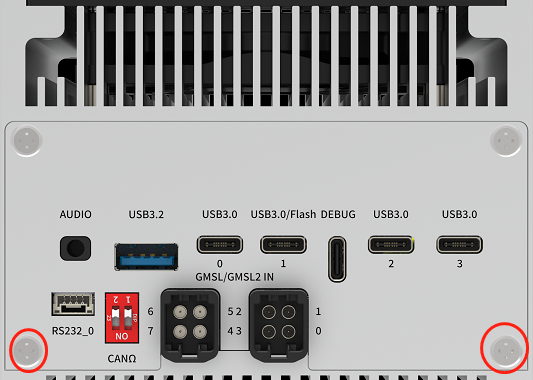
Installation Steps:#
1.Install the WiFi module on the M.2E socket, securing it with one M3*6 cross-recessed screw with adhesive.

2.Connect the two antenna extension cables to the IPEX interface on the WiFi module, and secure the SMA female connectors to the device’s antenna interface.

3.Install and secure the antennas to the device’s antenna interface.
Required Accessories:#
WiFi Module x1
M3*6 Cross-Recessed Screw with Adhesive x1
IPEX to SMA Antenna Extension Cables
Notes:#
The Wi-Fi module on the Apex ORIN MINI does not support Bluetooth functionality at this time.
Wireless Setting#
WiFi Setting#
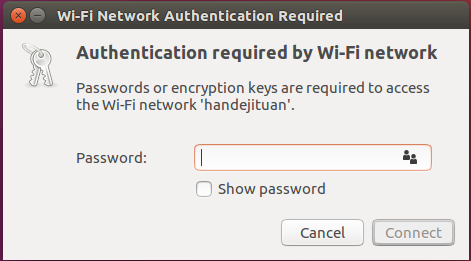
Click the network icon in upper-right corner of the desktop. Find the name of your WiFi network and click on it. Enter your password and click ‘Connect’.
WiFi Connection
M.2 E WIFI Support List#
NO. |
Brand |
Product NO. |
Interface |
Module function |
Operating temperature |
Standard |
Spec |
Note |
|---|---|---|---|---|---|---|---|---|
1 |
Azurewave |
AW-XB547NF |
M.2 E KEY |
WIFI+BT |
0°C~70°C |
IEEE 802.11a/b/g/n/ac/ax Wireless LAN 2T2R and Bluetooth 5.2 |
2.4 GHz:2.412 ~ 2.484 GHz |