EVO ONX 4G/5G Usage#
4G/5G Module and SIM Card Installation:#
Remove the following panel:#
Left:#
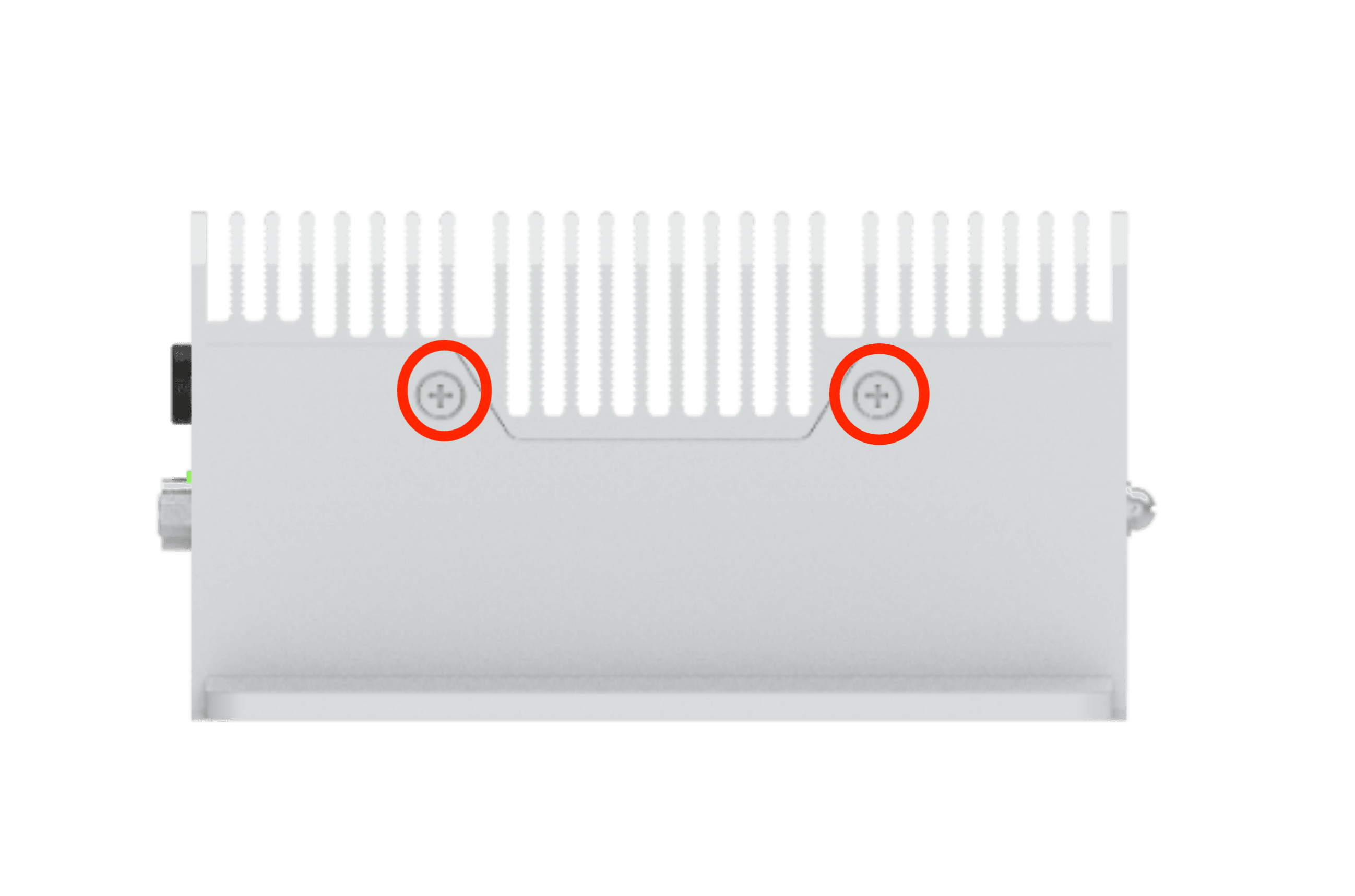
Right:#
#
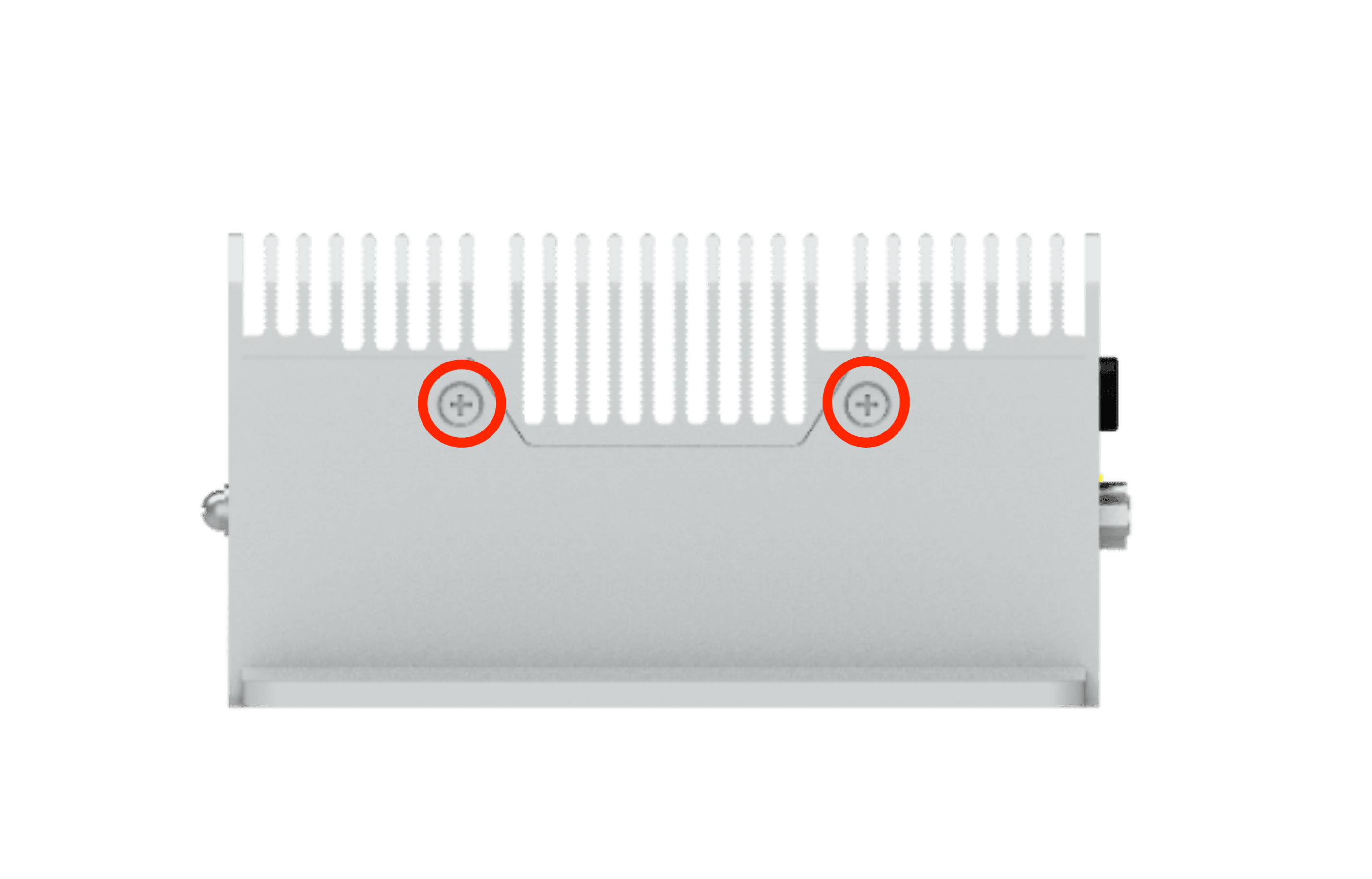
Front:#
#
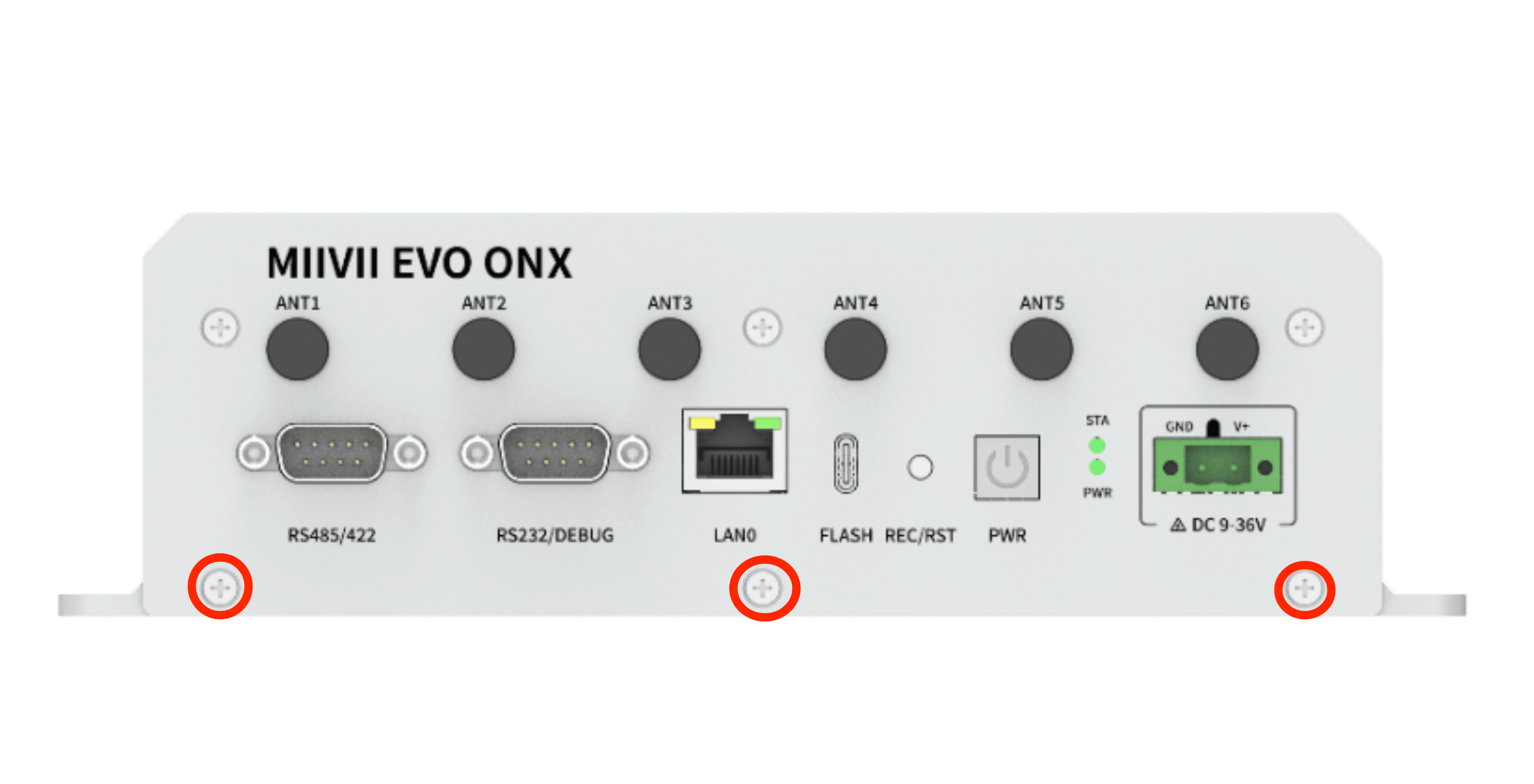
Back:#
#
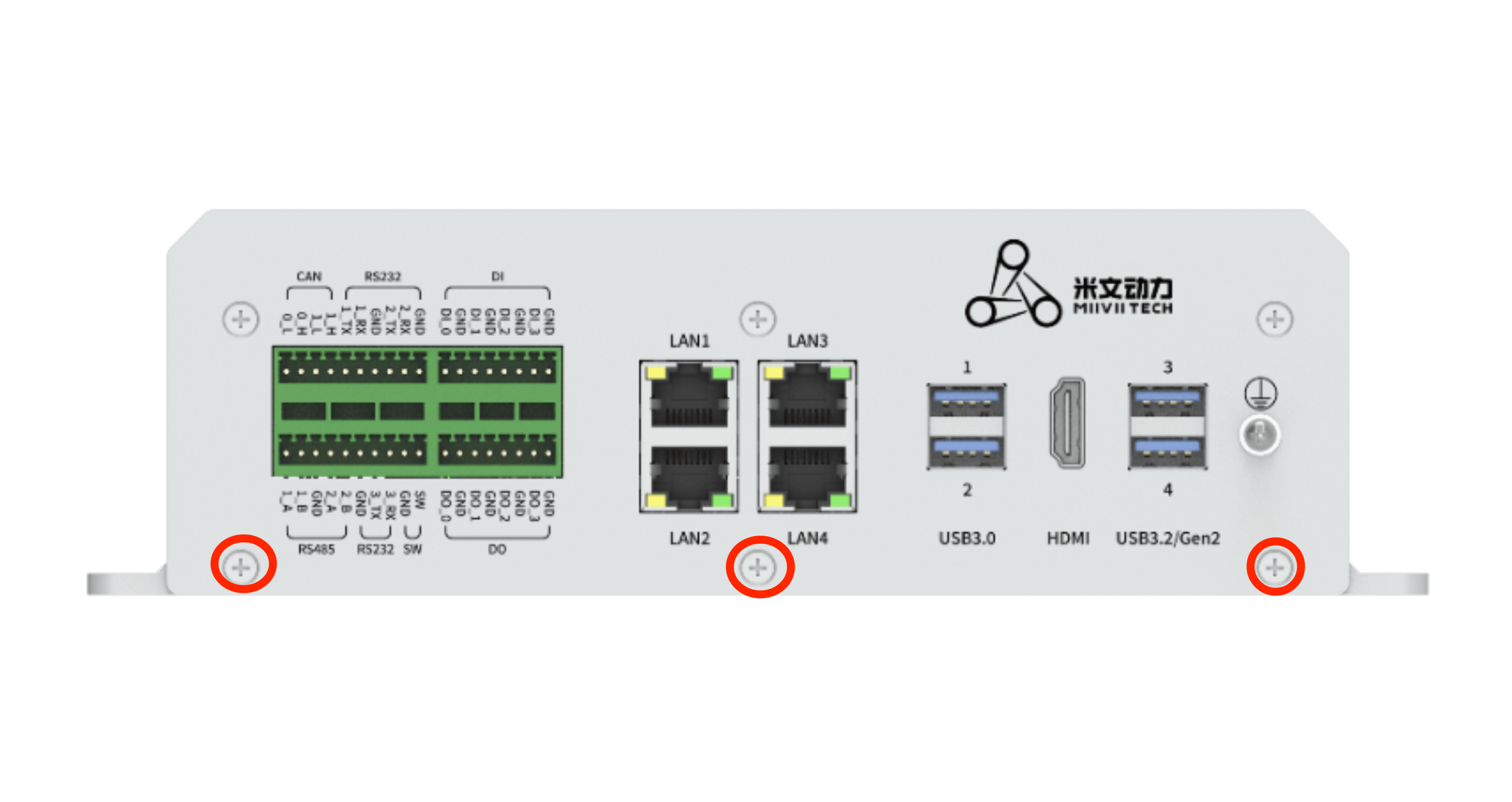
4G/5G Module and SIM Card Installation:#
Installation Steps:#
1 Install the 4G/5G module on the M.2 socket using an isolation column and one M3*8 cross-head screw with adhesive.
1 Connect the antenna extension cables, with IPEX interfaces clipped onto the D and M ports of the 4G/5G module, and SMA interfaces secured to the device’s ANT1 and ANT2 antenna interfaces.
1 Attach a thermal pad to the 4G/5G module with a thickness of 4mm.
1 Install the SIM card in the SIM1 or SIM2 socket.
1 Secure the antennas to the device’s ANT1 and ANT2 antenna interfaces.
Reference Image:#

Required Accessories:#
4G/5G Module x1
SIM Card x1
M3*8 Cross-Head Screw with Adhesive x1, Isolation Column x1
IPEX to SMA Antenna Adapter Cable
4mm Thermal Pad x1
Notes:#
A thermal pad is required for the 4G/5G module to facilitate heat dissipation.
M.2 B Key 4G Support List#
NO. |
Brand |
Product NO. |
Interface |
Module function |
Operating temperature |
Spec |
Note |
|---|---|---|---|---|---|---|---|
1 |
Quectel |
EM05-CE FA-512-SGA |
M.2 B Key |
4G |
-30ºC - 70ºC |
Speed Max130Mbps (Download)/Max30Mbps (Upload) |
M.2 B Key 5G Support List#
NO. |
Brand |
Product NO. |
Interface |
Module function |
Operating temperature |
Spec |
Note |
|---|---|---|---|---|---|---|---|
1 |
Quectel |
RM500Q-CN |
M.2 B KEY |
5G |
-20ºC - 60ºC |
SA : DL: 2.1Gbps ; UL:900Mbps NSA : DL: 2.5Gbps ; UL:650Mbps |
4G Usage#
Auto-start settings at boot#
Built-in driver does not require any additional configuration. It starts automatically and dials automatically when it is turned on.
Module configuration method#
Please note that if you are using an IoT SIM card, there will be issues with binding the SIM card to the device hardware. Please confirm with your communications provider in advance.
System image integrates the corresponding module driver. After the module is installed, the system will automatically recognize it.
5G Usage#
Auto-start settings at boot#
Built-in driver does not require any additional configuration. It starts automatically and dials automatically when it is turned on.
Module configuration method#
Please note that if you are using an IoT SIM card, there will be issues with binding the SIM card to the device hardware. Please confirm with your communications provider in advance.
System image integrates the corresponding module driver. After the module is installed, the system will automatically recognize it.
|
|---|
Figure 4G/5G Modules Installation |
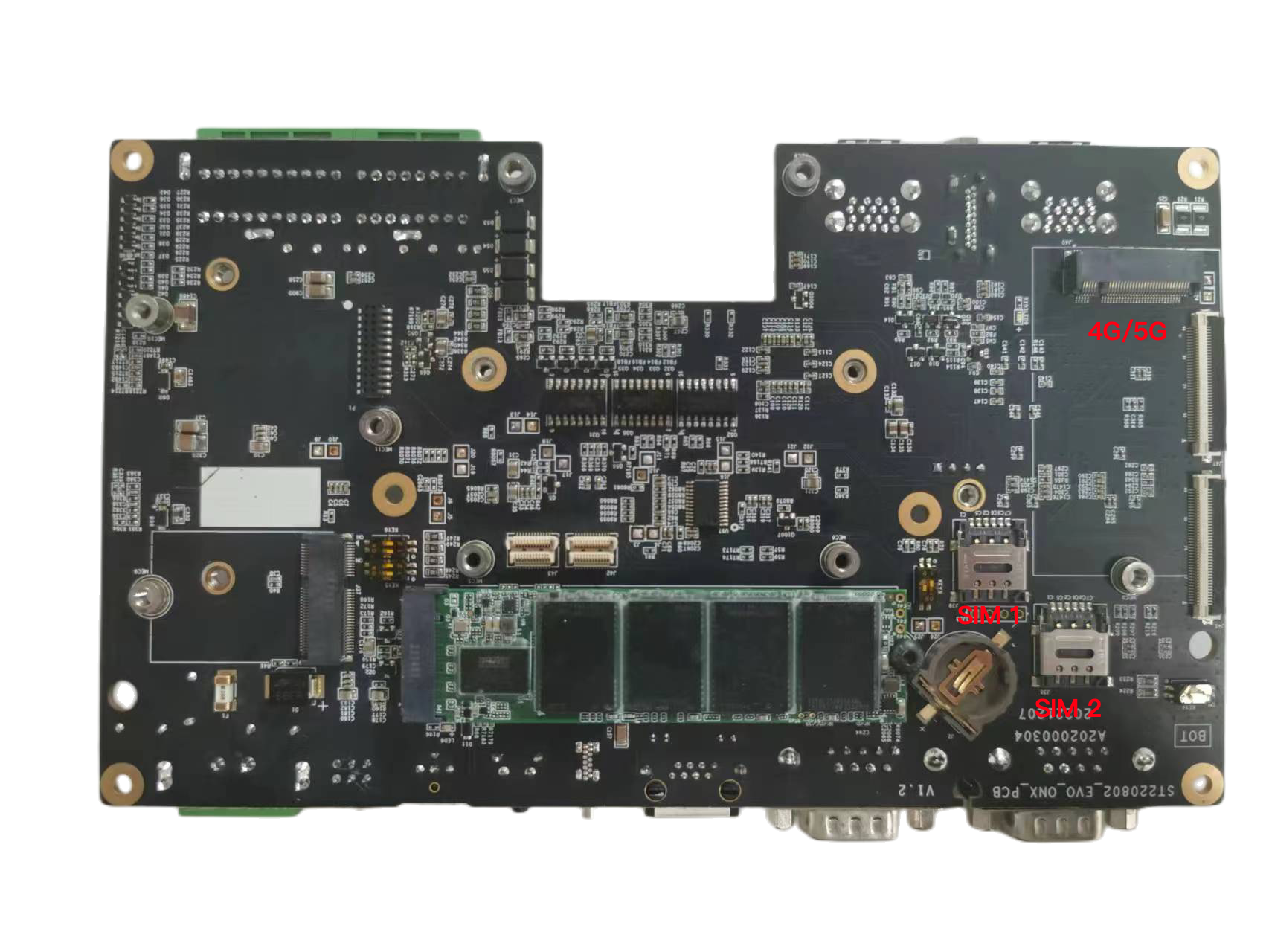
**SIM Card **
SIM 1 |
SIM 2 |
|
|---|---|---|
4G |
Yes |
No |
5G |
Yes |
Yes |
For 5G, SIM 1 or SIM 2 can be selected as follow
# SIM 2
SIM_SET = 2
# SIM 1
SIM_SET = 1