APEX ORIN MINI 4G Usage#
4G Module and SIM Card Installation:#
Step 1: Remove the screws on the front.

Step 2: Remove the screws on the back.
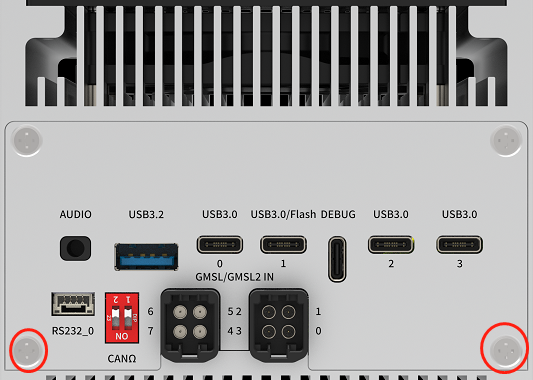
Installation#
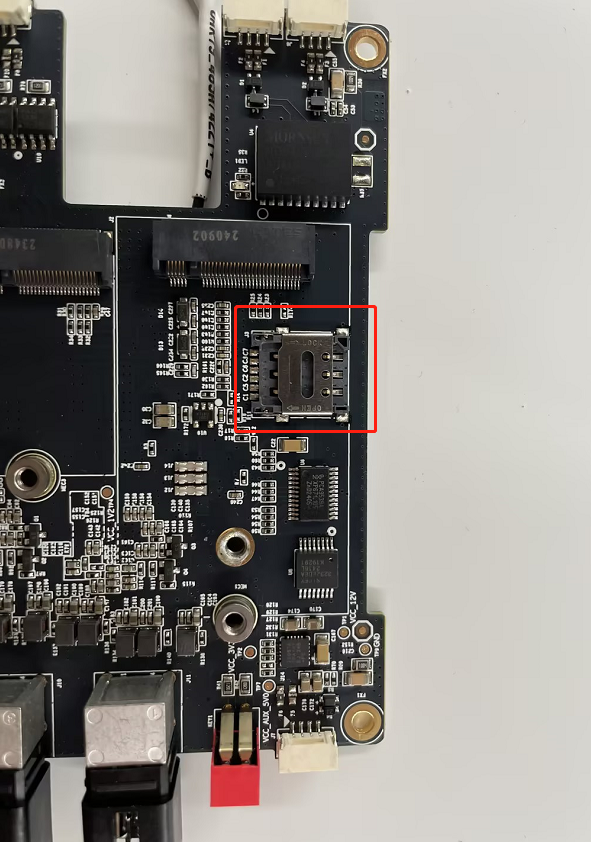
Steps: 1. Install the SIM card in the SIM card slot.
Install the 4G module on the M.2-B socket using an isolation pillar (located in the red box) and one M3*8 cross-recessed screw with adhesive.
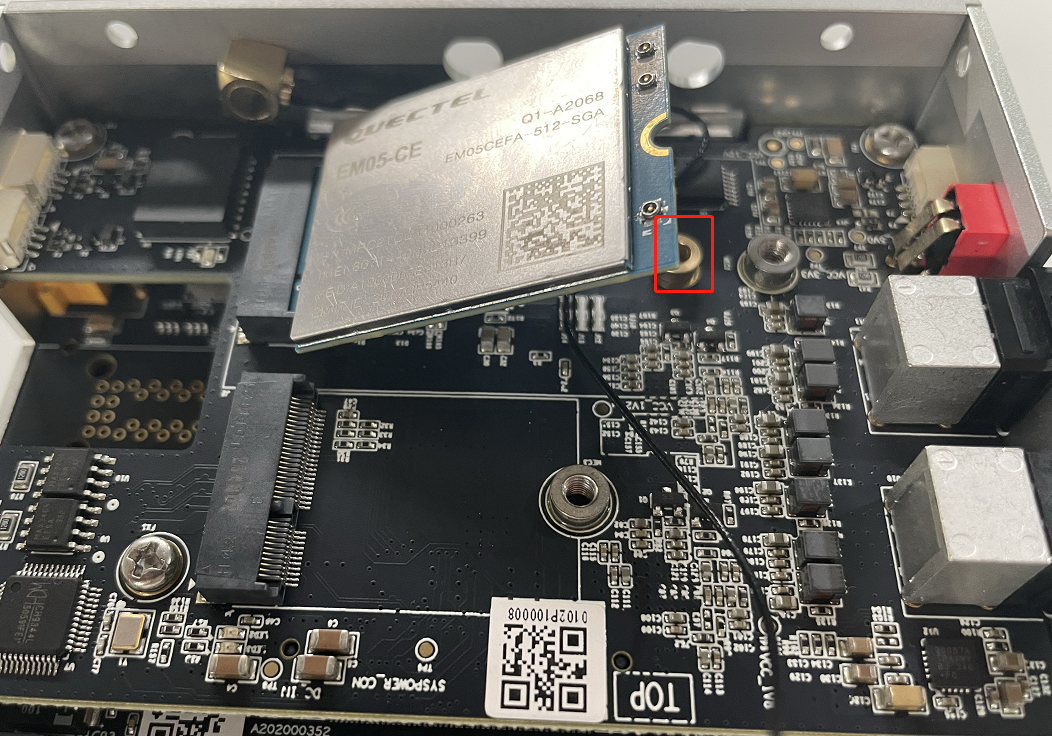
Connect the two antenna extension cables to the IPEX interface (located in the blue box) on the 4G module, and secure the SMA female connectors to the device’s ANT0 and ANT1 antenna interfaces. Apply a thermal pad on the 4G module with a thickness of 4mm.

Connect the external antennas to the device’s ANT0 and ANT1 antenna interfaces.
4G Module x1
SIM Card x1
M3*8
Cross-Recessed Screw with Adhesive x1
Isolation Pillar x1
IPEX to SMA Antenna Extension Cables
4mm Thermal Pad x1
Notes:
-The 4G module requires a thermal pad for heat dissipation.
Auto-start settings at boot#
Built-in driver does not require any additional configuration. It starts automatically and dials automatically when it is turned on.
Module configuration method#
Please note that if you are using an IoT SIM card, there will be issues with binding the SIM card to the device hardware. Please confirm with your communications provider in advance.
System image integrates the corresponding module driver. After the module is installed, the system will automatically recognize it.
序号 |
品牌 |
产品型号 |
使用接口 |
模块功能 |
工作温度 |
规格 |
备注 |
|---|---|---|---|---|---|---|---|
1 |
Quectel |
QuectelEM05-G |
M.2 B KEY |
4G |
-30 °C ~ +75 °C |
Speed Max130Mbps (Download)/Max30Mbps (Upload) |
|
2 |
Quectel |
QuectelEM05CNFD |
M.2 B KEY |
4G |
-30 °C ~ +75 °C |
Speed Max130Mbps (Download)/Max30Mbps (Upload) |