EVO ONO 4G/5G Usage#
4G/5G Module and SIM Card Installation:#
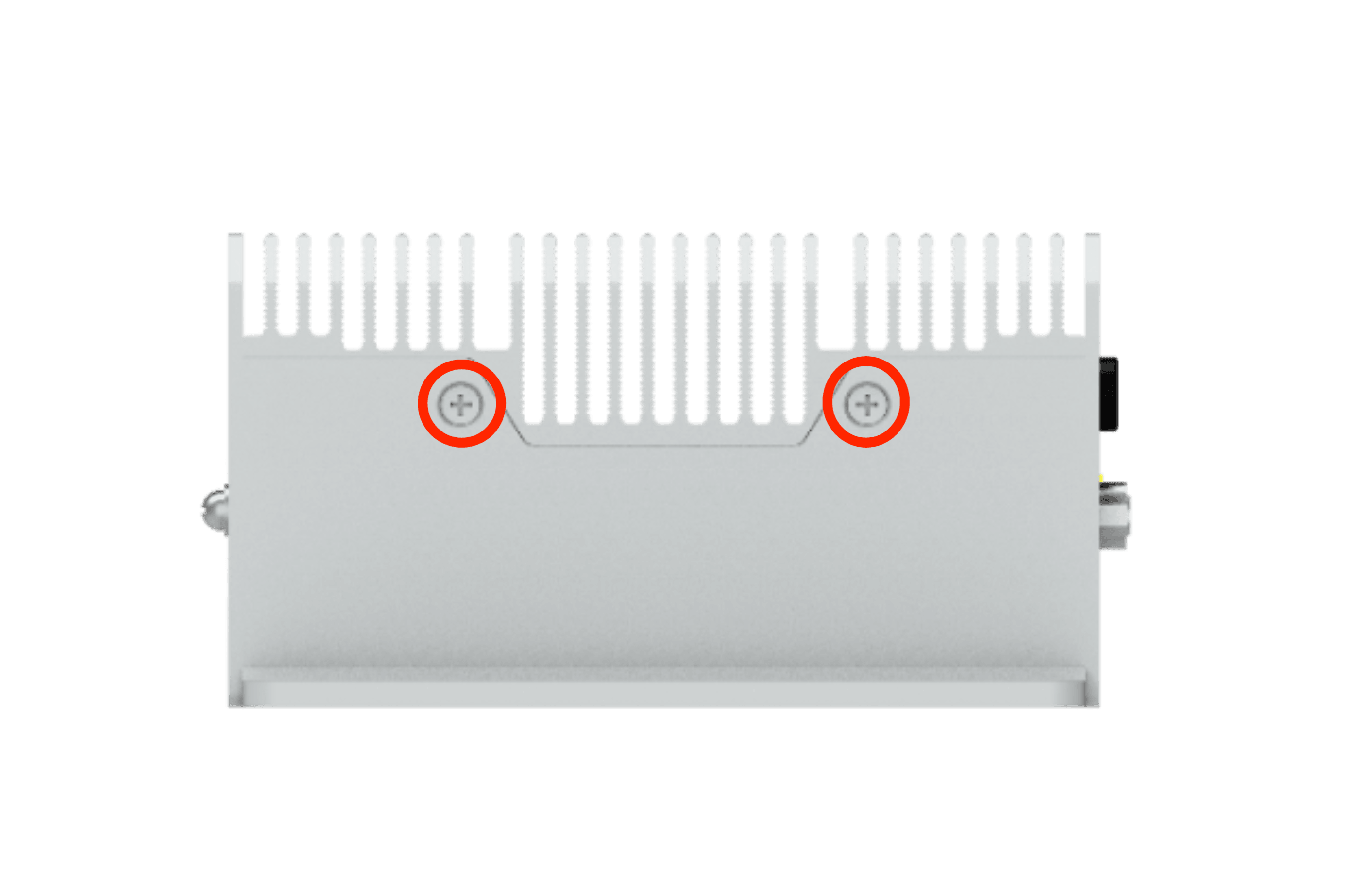
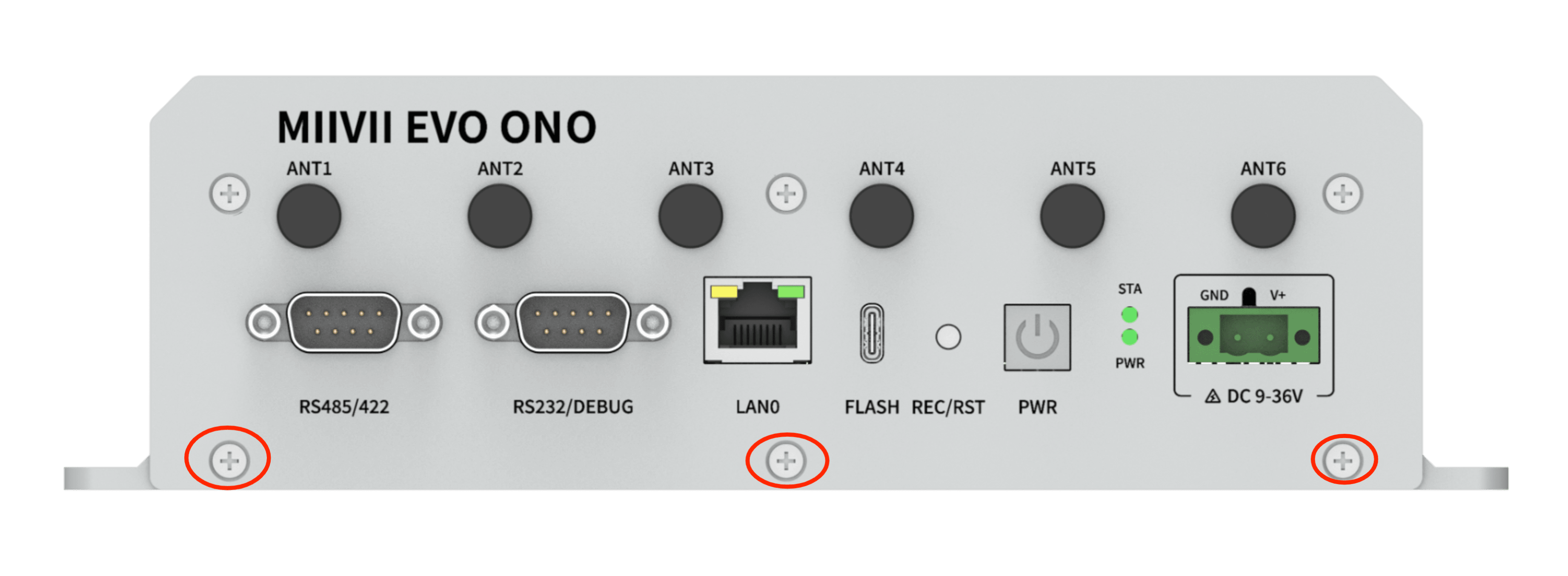
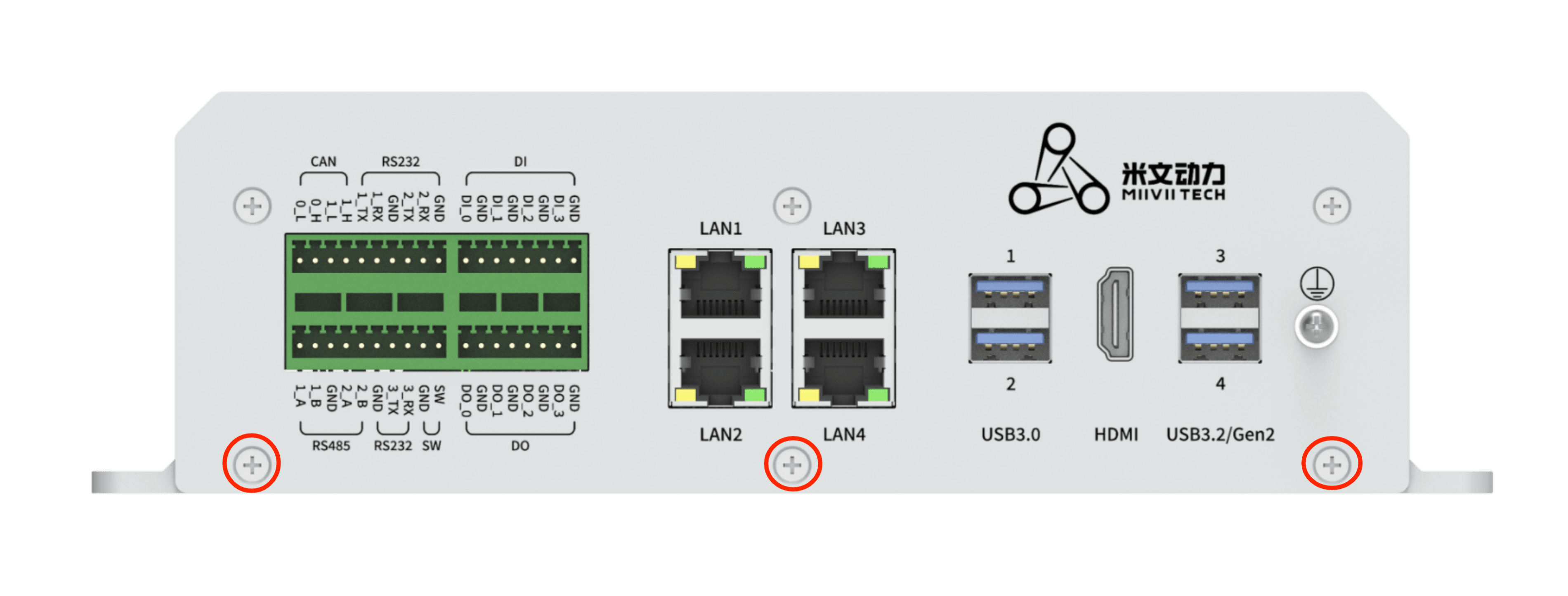
Remove the following panel:#
Left:#
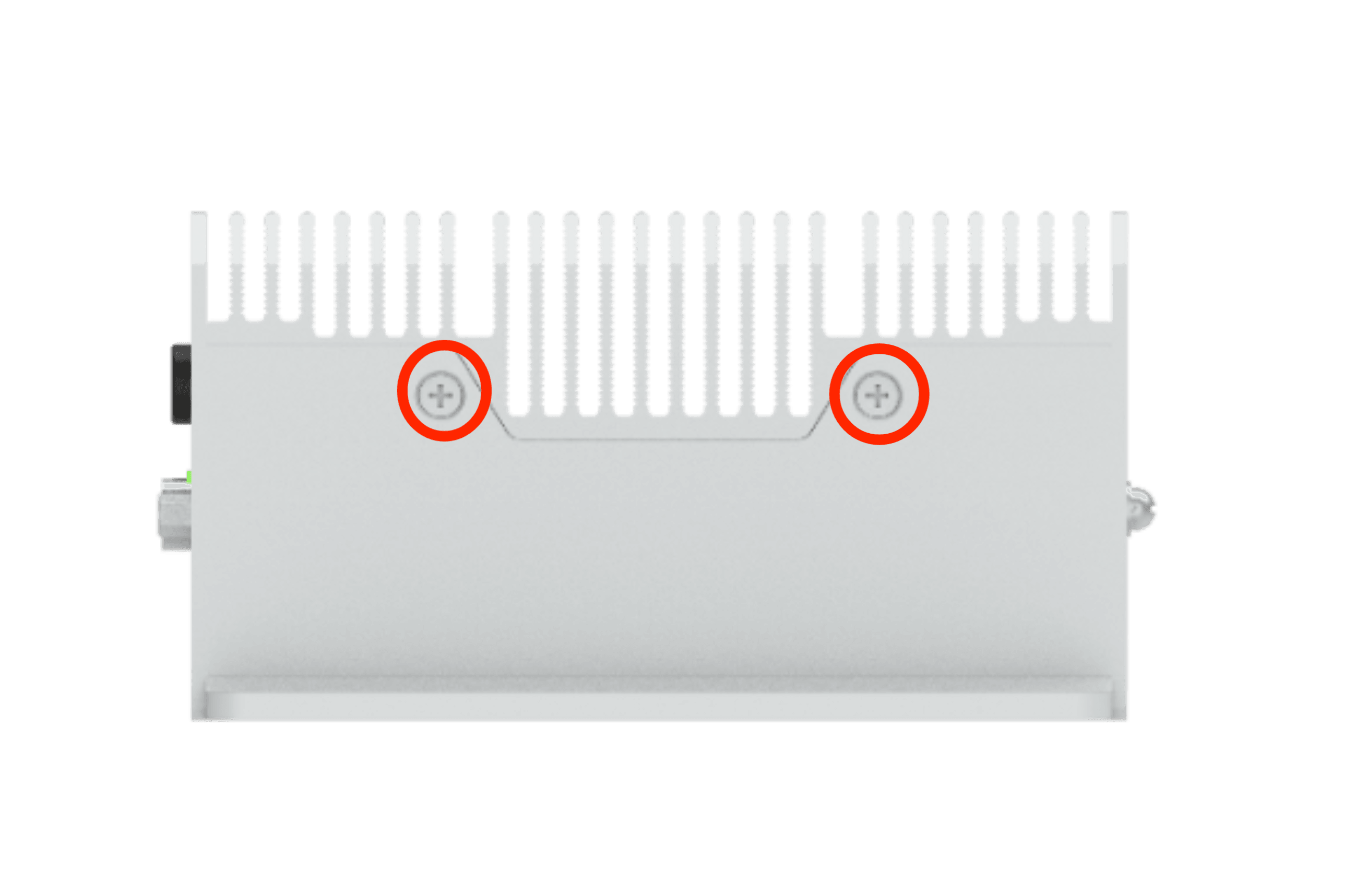
Right:#
#
Front:#
#
Back:#
#
4G/5G Module and SIM Card Installation:#
Installation Steps:#
1.Install the 4G/5G module on the holder shown in the M drawing with the isolation post and 1 M3*8 Phillips with adhesive screws
Attach the antenna adapter cables, IPEX connector snap on the D and M ports on the 4G/5G module, and the SMA female connector to the ANT1 and ANT2 antenna connectors of the device.
Put the thermal pad on the 4G/5G module, thickness: 4mm.
Install the SIM card on the SIM holder.
Fix the antenna to the ANT1 and ANT2 antenna connector of the device.
Reference Image:#
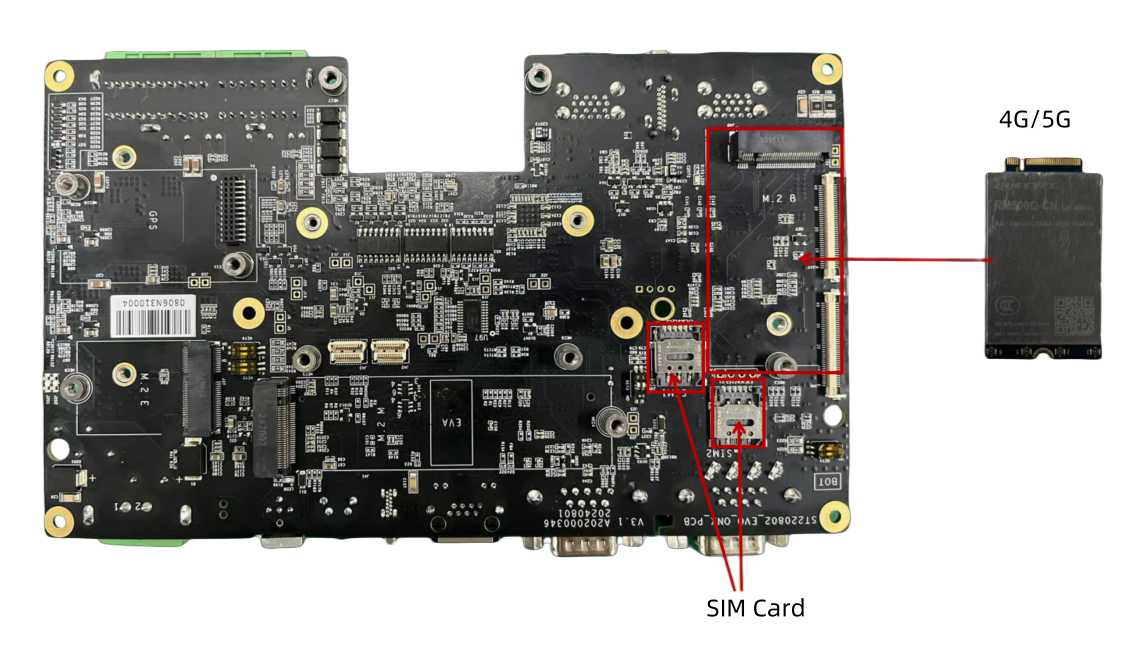
Required Accessories:#
4G/5G Module x1
SIM Card x1
M3*8 Cross-Head Screw with Adhesive x1, Isolation Column x1
IPEX to SMA Antenna Adapter Cable
4mm Thermal Pad x1
Notes:#
A thermal pad is required for the 4G/5G module to facilitate heat dissipation.
M.2 B Key 4G Support List#
NO. |
Brand |
Product NO. |
Interface |
Module function |
Operating temperature |
Spec |
Note |
|---|---|---|---|---|---|---|---|
1 |
Quectel |
EM05-CE FA-512-SGA |
M.2 B Key |
4G |
-30ºC - 70ºC |
Speed Max130Mbps (Download)/Max30Mbps (Upload) |
M.2 B Key 5G Support List#
NO. |
Brand |
Product NO. |
Interface |
Module function |
Operating temperature |
Spec |
Note |
|---|---|---|---|---|---|---|---|
1 |
Quectel |
RM500Q-CN |
M.2 B KEY |
5G |
-20ºC - 60ºC |
SA : DL: 2.1Gbps ; UL:900Mbps NSA : DL: 2.5Gbps ; UL:650Mbps |
4G Usage#
开机自启动设置#
米文内置的驱动无需任何额外配置,就是开机自动启动和自动拨号的状态。
模块配置方法#
请注意如果您使用的是物联网SIM卡,则会出现SIM卡与设备硬件绑定的问题,请提前与通讯供应商确认。
米文的系统镜像中,整合了相应的模块驱动。安装好模块后系统会自动识别。
5G Usage#
**SIM Card **
SIM 1 |
SIM 2 |
|
|---|---|---|
4G |
Yes |
No |
5G |
Yes |
Yes |
For 5G, SIM 1 or SIM 2 can be selected as follow
# SIM 2
SIM_SET = 2
# SIM 1
SIM_SET = 1