APEX ORIN NX 4G Usage#
4G Module and SIM Card Installation:#
Shell Disassembly:#
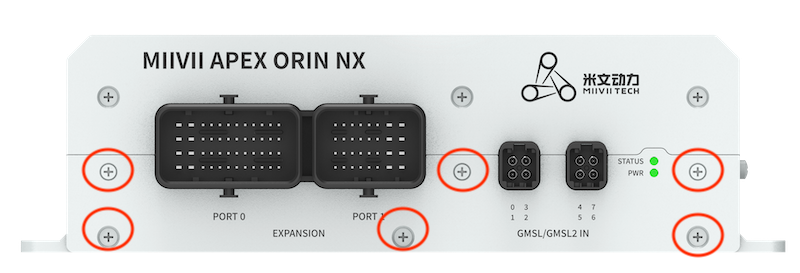
Step1: Remove front screw.
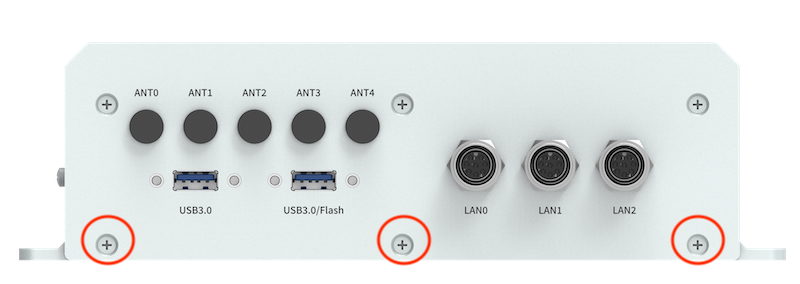
Step2: Remove back screw.
Step3: Remove side screw.
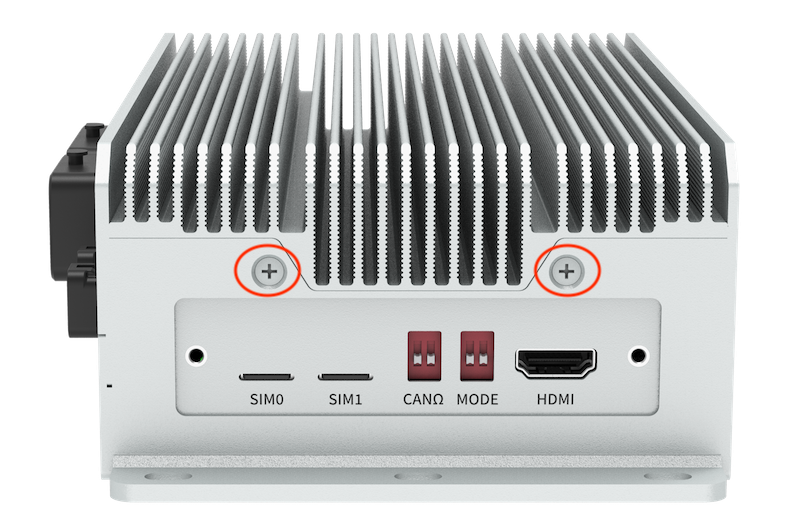
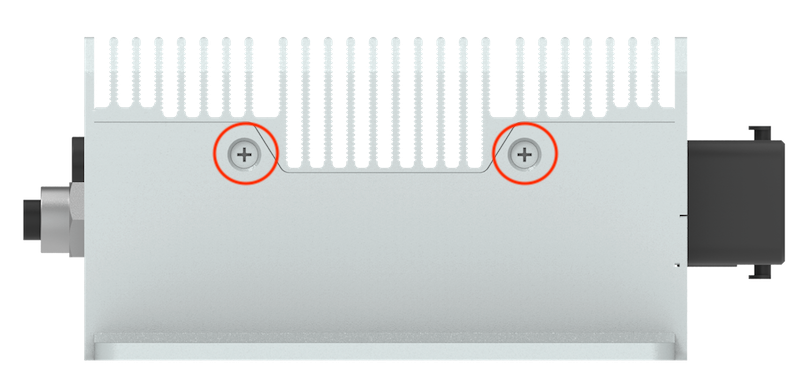
Installation steps:#
1.Install the 4G module on the seat of M.2-B_0/M.2-B_1 with isolation post and 1 M3*8 Phillips with adhesive screws
Put the antenna adapter cables, IPEX connector snap on the 4G/5G module, and the SMA female connector fixed to the ANT0 and ANT1 antenna connector of the device
Put the thermal pad on the 4G module, thickness: 4mm.
Install the SIM card on the SIM0 or SIM1 holder.
5.Install and fix the antenna to the ANT0 and ANT1 antenna connector of the device.
Reference Photos:#
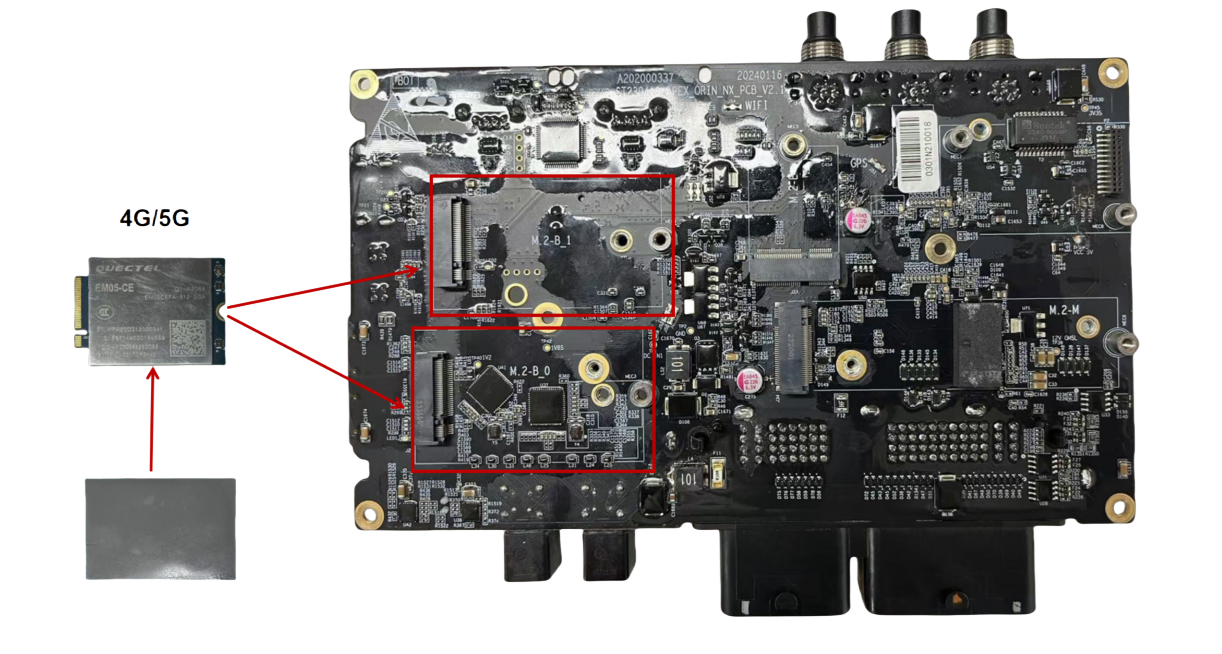
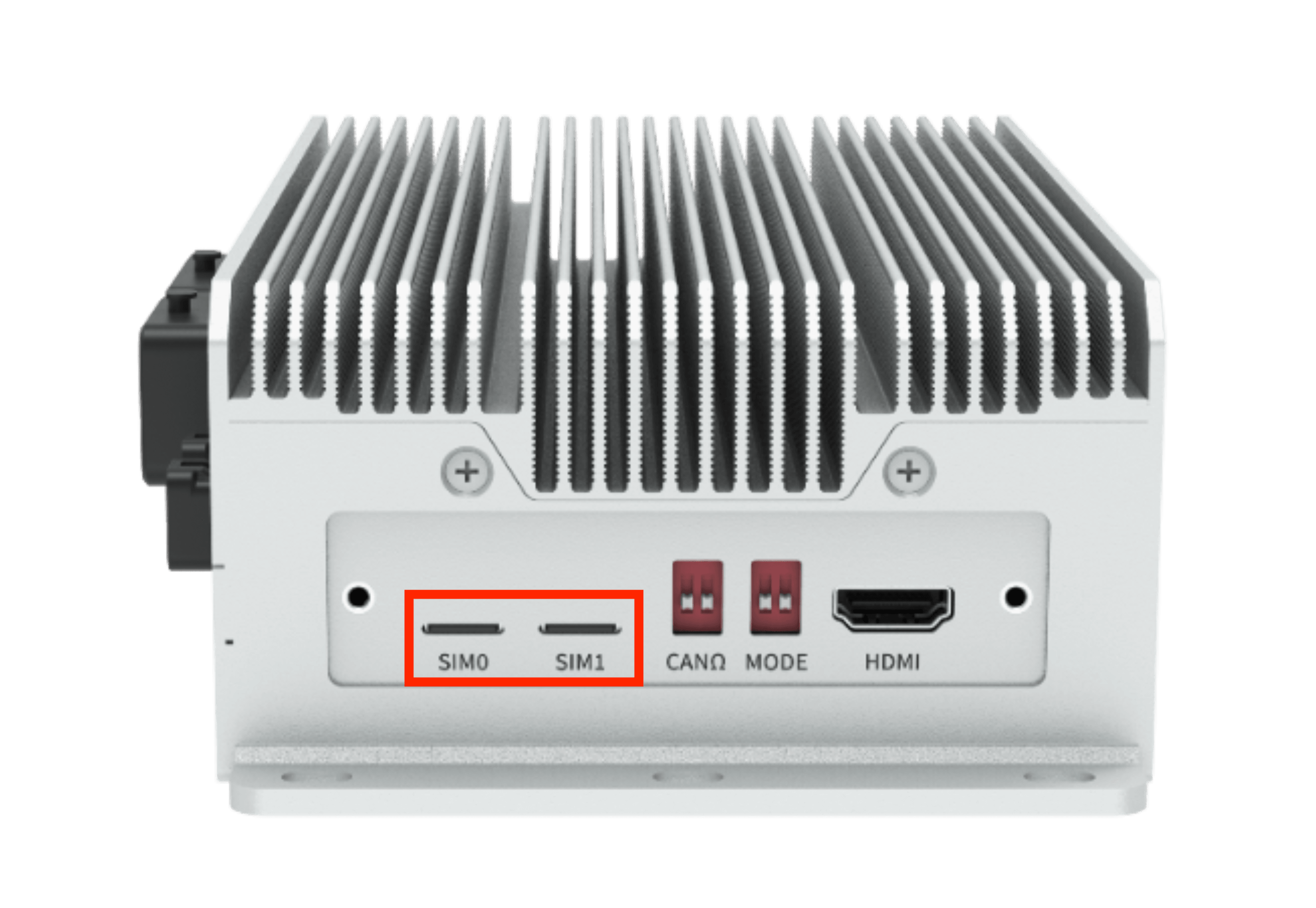
Required accessories:#
4G module x1
SIM card x1
M3*8 Phillips with adhesive screws x1, isolation post x1
IPEX to SMA antenna adapter x2
4mm heat-conducting sheet x1
Notes:#
4G module needs to install thermal pads for heat dissipation.
Auto-start settings at boot#
Built-in driver does not require any additional configuration. It starts automatically and dials automatically when it is turned on.
Module configuration method#
Please note that if you are using an IoT SIM card, there will be issues with binding the SIM card to the device hardware. Please confirm with your communications provider in advance.
System image integrates the corresponding module driver. After the module is installed, the system will automatically recognize it.
序号 |
品牌 |
产品型号 |
使用接口 |
模块功能 |
工作温度 |
规格 |
备注 |
|---|---|---|---|---|---|---|---|
1 |
移远 |
EM05-G |
M.2 B KEY |
4G |
-30 °C ~ +75 °C |
全网通 Speed Max130Mbps (Download)/Max30Mbps (Upload) |
|
2 |
移远 |
EM05CNFD |
M.2 B KEY |
4G |
-30 °C ~ +75 °C |
中国:电信入库/移动入库/联通入库 Speed Max130Mbps (Download)/Max30Mbps (Upload) |